show 1 to 20 (of 44 software programs)
cronetwork Time & Attendance
 As a modern time recording program and accounting system for manufacturing companies, cronetwork Time & Attendance supports you on several levels in your modern time management. A central calendar sheet is available to all users and time managers. From there, you can perform all necessary activities such as your vacation planning, overtime approval or shift swaps without changing masks. To enable highly automated accounting, software also optimizes processes for demanding tasks such as on-call duty ...
Software for personnel planning, personnel time recording and accounting
As a modern time recording program and accounting system for manufacturing companies, cronetwork Time & Attendance supports you on several levels in your modern time management. A central calendar sheet is available to all users and time managers. From there, you can perform all necessary activities such as your vacation planning, overtime approval or shift swaps without changing masks. To enable highly automated accounting, software also optimizes processes for demanding tasks such as on-call duty ...
TimeTac
 The web-based time recording for companies for working time recording, project time recording and vacation management.
Web-based time recording solutions for companies of all sizes and industries
The web-based time recording for companies for working time recording, project time recording and vacation management.
Time recording, access control for SAP
 Kaba ist der weltweit führende Anbieter für Subsysteme zur Zeiterfassung, Zutrittskontrolle und Betriebsdatenerfassung mit SAP und anderen führenden ERP-Systemen. Die Kommunikationssoftware B-COMM für ERP verbindet die Kaba Benzing Terminals mit SAP Systemen der Releases 3.1 bis mySAP ERP. Die integrierte ALE-Schnittstelle wickelt den Datenaustausch zwischen den SAP-Modulen HR und PP und der Datenerfassungsperipherie ab. Im Gegensatz zur üblichen Übertragung via KK1 (ASCII-File) ist der Datentransfer vor fremden Zugriffen gesichert ...
Time recording, access control and production data acquisition with SAP
Kaba ist der weltweit führende Anbieter für Subsysteme zur Zeiterfassung, Zutrittskontrolle und Betriebsdatenerfassung mit SAP und anderen führenden ERP-Systemen. Die Kommunikationssoftware B-COMM für ERP verbindet die Kaba Benzing Terminals mit SAP Systemen der Releases 3.1 bis mySAP ERP. Die integrierte ALE-Schnittstelle wickelt den Datenaustausch zwischen den SAP-Modulen HR und PP und der Datenerfassungsperipherie ab. Im Gegensatz zur üblichen Übertragung via KK1 (ASCII-File) ist der Datentransfer vor fremden Zugriffen gesichert ...
FLINTEC IT - Mobile Project Time Recording
 The Flintec project time recording module is an extension of the Flintec app for time recording and access control. The project time recording can be combined with the recording devices supported by Flintec for the Android, iOS or watchOS operating system. The module captures project data in just a few steps, regardless of their number, complex project names or variety of activities.
Recording of staff time and project time via Flintec App
The Flintec project time recording module is an extension of the Flintec app for time recording and access control. The project time recording can be combined with the recording devices supported by Flintec for the Android, iOS or watchOS operating system. The module captures project data in just a few steps, regardless of their number, complex project names or variety of activities.
ClickTime
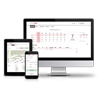 Time tracking - simple and user-friendly with ClickTime. A few clicks and working times and absences are recorded and you can easily and quickly print out your desired monthly report. Monitor your projects and project times and easily plan the assignments of your employees. ClickTime is a web-based application that only requires browser access to work effectively.
Software for time recording, duty roster design and project and activity recording
Time tracking - simple and user-friendly with ClickTime. A few clicks and working times and absences are recorded and you can easily and quickly print out your desired monthly report. Monitor your projects and project times and easily plan the assignments of your employees. ClickTime is a web-based application that only requires browser access to work effectively.
FLINTEC IT - Time recording via GPS device
 FLINTEC offers mobile time and attendance recording via a GPS tracking system as a mobile solution for outdoor areas. The GPS device is converted into a recording device for time and location. FLINTEC's mobile time recording by GPS device can be easily combined with time recording by telephone and mobile time recording by app.
Software for recording personnel and order time via GPS device
FLINTEC offers mobile time and attendance recording via a GPS tracking system as a mobile solution for outdoor areas. The GPS device is converted into a recording device for time and location. FLINTEC's mobile time recording by GPS device can be easily combined with time recording by telephone and mobile time recording by app.
timr
 timr is the online time recording solution for all industries and especially suitable for SMEs. Employees record attendance and absence, sick leave or time off. The hours and vacation account is managed automatically. Project times can be recorded with the stopwatch function and already accounted for at the end of the day. In the central time recording account you have all employees under one roof.
Time tracking software that is fun to use
timr is the online time recording solution for all industries and especially suitable for SMEs. Employees record attendance and absence, sick leave or time off. The hours and vacation account is managed automatically. Project times can be recorded with the stopwatch function and already accounted for at the end of the day. In the central time recording account you have all employees under one roof.
FLINTEC IT - mobile time recording via app
 At FLINTEC, time recording is mobile and via app. The app-based recording of personnel and order time is made possible by increasingly powerful mobile devices and stable mobile networks. For use on smartphones and tablets, FLINTEC has developed native apps for Android and iOS as well as an operating system-independent web solution that are clear in their presentation and easy to use.
Software for recording staff and order time via smartphone, tablet, smartwatch
At FLINTEC, time recording is mobile and via app. The app-based recording of personnel and order time is made possible by increasingly powerful mobile devices and stable mobile networks. For use on smartphones and tablets, FLINTEC has developed native apps for Android and iOS as well as an operating system-independent web solution that are clear in their presentation and easy to use.
TimO® – The modular Project-ERP Suite for projects, time tracking, and billing
Digitize your processes – flexible, secure, and 100% made & hosted in Germany.
TimO® is a proven Project ERP Business Suite for time tracking, project time tracking, project management, billing, resource planning, ticket management, leave management, and team calendars, developed and hosted in Germany. Built on a modular architecture, TimO offers maximum flexibility for businesses: each module can be used as a standalone solution or combined into a fully integrated ERP system. TimO digitizes and connects all core business processes – from time tracking and project planning to billing ...
FLINTEC IT - Digitalization of attendance monitoring
 FLINTEC IT is a web-based attendance control software that helps companies to digitize and manage the attendance of their employees. The software offers a simple and intuitive user interface with which attendance data can be recorded quickly and efficiently.
Software for checking work assignments for service companies
FLINTEC IT is a web-based attendance control software that helps companies to digitize and manage the attendance of their employees. The software offers a simple and intuitive user interface with which attendance data can be recorded quickly and efficiently.
DEXICON for access control and time recording
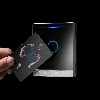 PCS Systemtechnik is a leading German manufacturer of hardware and software for access control and time and attendance.
PCS offers professional solutions for data collection and building security for all industries and company sizes.
INTUS terminals are high-performance, programmable data collection terminals for almost all operational areas. More than 300,000 INTUS devices are in use for time and attendance, workforce management and access control.
PCS Systemtechnik is a leading German manufacturer of hardware and software for access control and time and attendance.
PCS offers professional solutions for data collection and building security for all industries and company sizes.
INTUS terminals are high-performance, programmable data collection terminals for almost all operational areas. More than 300,000 INTUS devices are in use for time and attendance, workforce management and access control.
 15.09. - 17.09.2026
, Hall / stand: 4.2 / L.55
15.09. - 17.09.2026
, Hall / stand: 4.2 / L.55
Time recording, working time recording
PCS Systemtechnik is a leading German manufacturer of hardware and software for access control and time and attendance.
PCS offers professional solutions for data collection and building security for all industries and company sizes.
INTUS terminals are high-performance, programmable data collection terminals for almost all operational areas. More than 300,000 INTUS devices are in use for time and attendance, workforce management and access control.15.09. - 17.09.2026
, Hall / stand: 4.2 / L.55
FLINTEC IT - Time recording via app with workflow
 The Workflows module extends the Flintec app for mobile time recording and access control. Workflows are defined on a company-specific basis, e.g. absences, home office, rebooking as part of time recording and authorizations for access control.
Flintec digitizes and automates recurring processes in time recording
The Workflows module extends the Flintec app for mobile time recording and access control. Workflows are defined on a company-specific basis, e.g. absences, home office, rebooking as part of time recording and authorizations for access control.
FLINTEC IT - Automatic driver's license check
 Flintec digitizes and automates the driver's license check. It can be recorded via smartphone and tablet or integrated into mobile time recording via app. The automatic driver's license check is quick and easy to use. The app enables a mobile driver's license check that is not tied to location or office opening hours.
Software for digitizing driver's license checks for companies with company cars
Flintec digitizes and automates the driver's license check. It can be recorded via smartphone and tablet or integrated into mobile time recording via app. The automatic driver's license check is quick and easy to use. The app enables a mobile driver's license check that is not tied to location or office opening hours.
in-STEP BLUE
 in-STEP BLUE includes all important functions for supporting your processes and meeting your compliance requirements. The process-based project management maps methods such as Scrum, PRINCE2 and SPICE as well as features for resource management, requirements management, test planning and definition of workflows. Capture, structure and manage your projects based on defined processes.
Software for Project Management with Processes and Methods
in-STEP BLUE includes all important functions for supporting your processes and meeting your compliance requirements. The process-based project management maps methods such as Scrum, PRINCE2 and SPICE as well as features for resource management, requirements management, test planning and definition of workflows. Capture, structure and manage your projects based on defined processes.
cronetwork Machine and Process Data
 cronetwork Machine and Process Data is a system for the automatic transfer of machine states, quantities or process data and can be used as an independent module. Machine data is transferred via a flexibly scalable field bus system, OPC or via direct connection to your machine control system....
Machine data acquisition
cronetwork Machine and Process Data is a system for the automatic transfer of machine states, quantities or process data and can be used as an independent module. Machine data is transferred via a flexibly scalable field bus system, OPC or via direct connection to your machine control system....
FLINTEC IT - Mobile access and door status monitoring
 FLINTEC IT is a mobile access control and door status monitoring solution designed for time and attendance and working time recording. The solution enables users to monitor and manage their access control and door status data on the move.
App for mobile access control and wireless door status monitoring
FLINTEC IT is a mobile access control and door status monitoring solution designed for time and attendance and working time recording. The solution enables users to monitor and manage their access control and door status data on the move.
GisboTimer - Zeiterfassung und Dienstplanungs
 The duty roster software - GisboTimer includes various options for recording employees' working times, storing rules and presenting them to staff in a transparent and clear manner. The program automatically calculates allowances and bonuses for the recorded working hours. The start and end of working hours and breaks can be recorded quickly and easily.
Duty planning, time recording, determination of non-permanent bonuses
The duty roster software - GisboTimer includes various options for recording employees' working times, storing rules and presenting them to staff in a transparent and clear manner. The program automatically calculates allowances and bonuses for the recorded working hours. The start and end of working hours and breaks can be recorded quickly and easily.
Xpert-Timer
 Xpert-Timer Pro is the flagship of Xpert-Timer Software. In addition to pure time recording, the program developed in Germany, already contains comprehensive customer management, an activity history, a reminder module and a task list - in other words, all components for efficient project management. Optionally available are further additional modules such as billing (offers, invoices, payment reminders), document management, CTI telephony module and service recording. Its more than 2.000 customers include IT service providers, craft businesses and engineering companies.
Die perfekte Projektzeiterfassung für Teams. Projektcontrolling leicht gemacht.
Xpert-Timer Pro is the flagship of Xpert-Timer Software. In addition to pure time recording, the program developed in Germany, already contains comprehensive customer management, an activity history, a reminder module and a task list - in other words, all components for efficient project management. Optionally available are further additional modules such as billing (offers, invoices, payment reminders), document management, CTI telephony module and service recording. Its more than 2.000 customers include IT service providers, craft businesses and engineering companies.
ZEP
 ZEP & ZEP Clock are modular software solutions for digital working time recording and much more. ZEP offers you numerous additional functions around overtime, vacation, project planning, travel cost management, invoicing and much more, depending on your individual needs. ZEP Clock is the more streamlined solution for pure working time recording and is also expandable. Depending on the solution, you can use ZEP or ZEP Clock for as little as 10€ or 2€ per user per month ...
Time Tracking for Projects & Employees
ZEP & ZEP Clock are modular software solutions for digital working time recording and much more. ZEP offers you numerous additional functions around overtime, vacation, project planning, travel cost management, invoicing and much more, depending on your individual needs. ZEP Clock is the more streamlined solution for pure working time recording and is also expandable. Depending on the solution, you can use ZEP or ZEP Clock for as little as 10€ or 2€ per user per month ...
NovaTime
 NovaTime is the innovative and extremely flexible software for personnel time recording. For over 25 years, NovaTime has been used by thousands of people in the European market. The user-friendly solution has a modular structure. It allows perfect customization via these modules to the respective customer requirements.
Systems for time recording, personnel management & access control
NovaTime is the innovative and extremely flexible software for personnel time recording. For over 25 years, NovaTime has been used by thousands of people in the European market. The user-friendly solution has a modular structure. It allows perfect customization via these modules to the respective customer requirements.