Time tracking software has evolved in many companies from a purely administrative tool into an important organizational building block. It documents working hours, creates transparency, supports workforce and resource planning, facilitates project billing, and makes internal processes traceable.
Companies no longer rely solely on a simple time clock tool; instead, they use a time tracking system that matches their specific business processes and integrates as seamlessly as possible into their IT landscape. That is why, when selecting such a system, the key factors are not only functionality or price, but also practical usability, team acceptance, and future-proof scalability.
Why time tracking software today must do more than simply record working hours
In the past, time tracking in many businesses primarily served as an administrative compliance process for documenting start times, end times, and breaks for payroll and HR overviews.
Today, time tracking systems play a far more comprehensive role: working hours provide important data for resource management, capacity planning, and project cost evaluation.
Time tracking software has become an organizational tool, especially in view of the changing world of work with home office, field service, hybrid teams, and project-based collaboration, all of which require flexible, location-independent, yet still reliable recording of working hours.
What tasks does modern time tracking software cover?
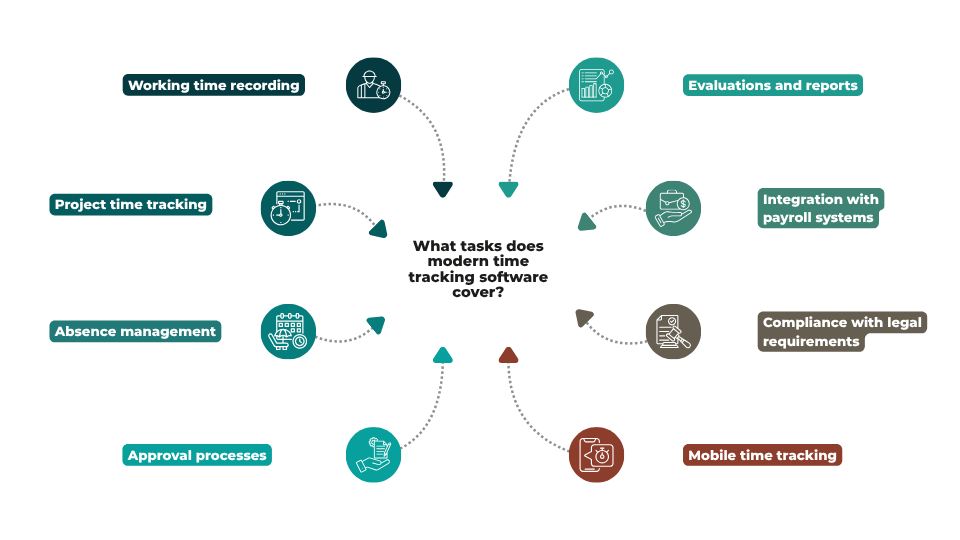
Time tracking software helps companies manage working hours, absences, and project times transparently and efficiently. The scope of functions can vary depending on the provider. Therefore, the first step should be to examine which tasks need to be covered within the company. Typical functions include:
-
Working time recording: Recording attendance times, breaks, overtime, and absences.
-
Project time tracking: Assigning working hours to projects, customers, or activities for better performance and cost control.
-
Absence management: Managing vacation, sick leave, business trips, and other types of absence.
-
Approval processes: Digital approval workflows for working hours, vacation requests, or project times.
-
Evaluations and reports: Automatic generation of statistics and reports for managers and HR, e.g. on productivity or resource utilization.
-
Integration with payroll systems: Automatic transfer of recorded times to payroll or ERP systems for billing purposes.
-
Compliance with legal requirements: Support for documentation obligations under the Working Hours Act (ArbZG) or the EU Working Time Directive.
-
Mobile time tracking: Time tracking via app or web browser – also for field service or home office.
-
Many solutions combine these functions in order to avoid duplicate data entry and centralize processes within one system. A thorough needs analysis at the beginning of the selection process is therefore important: it helps identify a solution whose scope of functions exactly matches the company’s requirements – neither too limited nor too complex.
Which selection criteria really matter
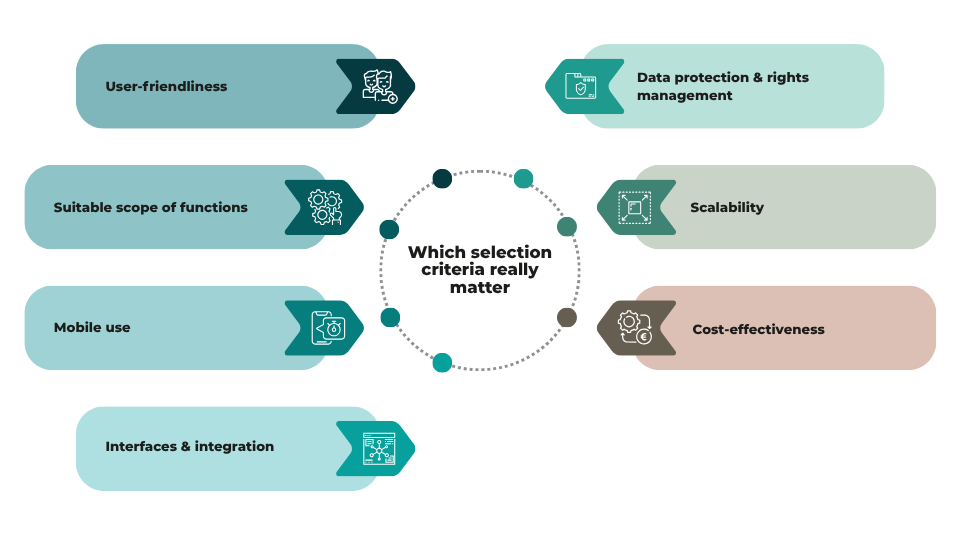
When choosing time tracking software, the criteria that truly make a difference in day-to-day operations are what count.
-
User-friendliness: Times must be recorded quickly and intuitively. Clear approval workflows, simple administration, and low training effort ensure acceptance and data quality.
-
Suitable scope of functions: Only choose functions that are actually needed, such as working time recording, project times, absences, or reports. Too many features often increase complexity unnecessarily.
-
Mobile use: Browser-based or app-based recording options are crucial for field service, home office, and flexible workplaces.
-
Interfaces & integration: Good connectivity to payroll, HR, or ERP systems prevents duplicate data entry and reduces errors.
-
Data protection & rights management: Clear roles, access rights, and logging protect sensitive data and enable traceability.
-
Scalability: The software should be able to grow with the company – new teams, locations, and workflows must be easy to integrate.
-
Cost-effectiveness: In addition to license costs, implementation, training, and ongoing effort also matter. In the long run, a well-integrated, efficient solution is usually more worthwhile than a seemingly low-cost offer.
Anyone who carefully reviews these criteria lays the foundation for a time tracking solution that works in everyday practice and remains economically viable over the long term.
How requirements differ depending on company size
What suitable time tracking software looks like depends heavily on the size and structure of the company. What is sufficient for a small team is often no longer enough for a medium-sized company, a larger organization, or a corporate group.
Small companies generally value simple implementation, low administrative effort, and ease of use. The focus is often on a pragmatic solution that reliably covers standard requirements without creating additional complexity.
In the SME sector, other aspects become more important. These include role and approval concepts, evaluations, defined processes, and integration with existing systems. Here, time tracking software often needs to deliver more without becoming confusing.
Larger companies and organizations usually have even higher requirements. Multi-client capability, differentiated permission structures, cross-location structures, individual workflows, and compliance requirements then play an important role. In such environments, technical and organizational integration capability is often just as important as time tracking itself.
How a structured software evaluation should proceed
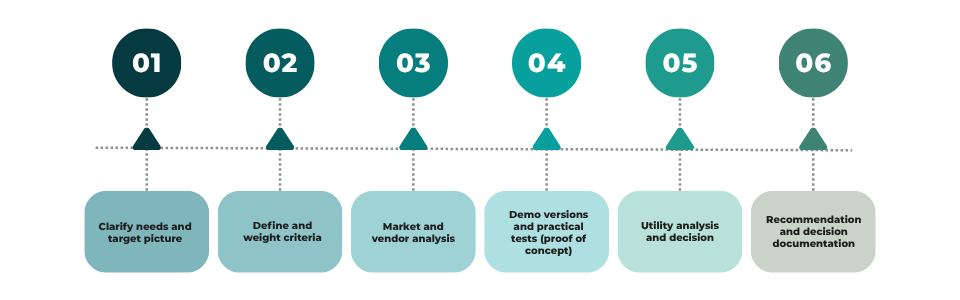
A structured software evaluation as part of a software selection process should be systematic and transparent. Typically, it proceeds through several clearly defined phases:
1. Clarify needs and target picture
-
Analyze current processes and identify weaknesses (e.g. manual recording, duplicate entries, missing reports).
-
Formulate clear objectives (e.g. “Compliance with ArbZG”, “Time tracking for projects”, “Integration into payroll”).
-
Define priorities: Which requirements are must-haves, and which are nice-to-haves?
2. Define and weight criteria
-
Derive evaluation criteria in categories such as functions, usability, integration, data protection, scalability, and costs.
-
Weight the criteria (e.g. 25–30% process fit, 15–20% integration, 10–15% total cost).
-
Specify measurable sub-criteria (e.g. “Mobile app available”, “GDPR-compliant logging”, “Interface to our payroll system”).
3. Market and vendor analysis
-
Create a short initial shortlist based on market overviews such as Softguide.com software for time recording, recommendations, and initial requirements.
-
Collect initial documents (demo datasheets, reference lists, pricing information).
-
Exclude solutions that already fail to meet obvious must-have criteria.
4. Demo versions and practical tests (proof of concept)
-
Use demo or trial versions of the top candidates under real conditions (e.g. actual scenarios from the company).
-
Create a use-case script (e.g. “Time tracking in field service”, “Approval of project times”, “Creation of a monthly report”).
-
Document experiences: Where does the software fail? Where is the interface intuitive? Where do media discontinuities occur?
5. Utility analysis and decision
-
Create an evaluation matrix with weighted criteria and scoring scales for each solution.
-
Classify must-have points as “must-pass” criteria (e.g. no solution without an interface qualifies).
-
Calculate total scores per solution as well as time-related and financial evaluations (TCO scenarios).
6. Recommendation and decision documentation
-
Formulate a clear recommendation with reasons why one solution is the best choice.
-
Present assumptions transparently (e.g. expected number of users, planned integrations) and document the test data used.
-
Document the results in a selection report or evaluation journal that serves as a basis for decision-making for committees and project management.
Conclusion
Selecting the right time tracking software is no longer purely a “technology issue,” but a strategic step toward greater transparency, efficiency, and compliance. What matters is not how many functions a solution offers, but how well it fits operational processes, company size, and user needs.
A structured approach, starting with the analysis of must-have requirements, followed by real-world practical tests and concluding with an evaluation based on a criteria catalog, helps consolidate subjective impressions and make the decision objectively understandable. Companies that focus on usability, integration, data protection, and scalability create the basis for a time tracking solution that is accepted in daily operations and delivers long-term value.
The same applies to companies of every size: it is worth investing in a careful selection phase. After all, the right time tracking software is less an administrative tool and more an organizational lever for better planning, traceable processes, and a transparent working environment.