Software > Internet > Content Management Systems (CMS) > ScreenManager
Cloud-based signage CMS with AI analytics, remote monitoring, and seamless playback.

ScreenManager

Cloud-based signage CMS with AI analytics, remote monitoring, and seamless playback.


Updated on 27. Jan 2026 by SoftGuide

What is ScreenManager?

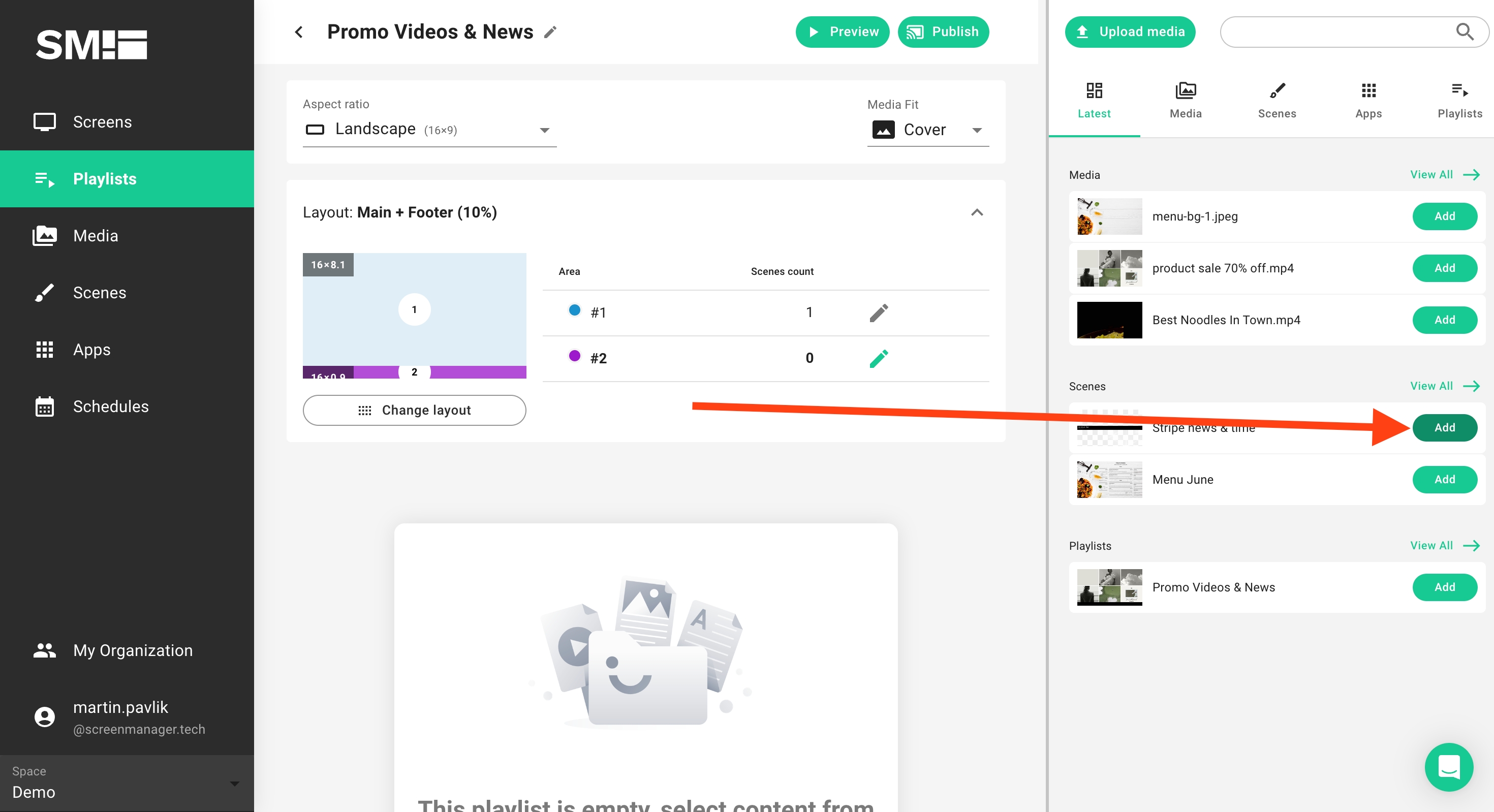
ScreenManager is a centralized digital signage solution that allows organizations to manage content across various industries - restaurants, retail, healthcare, education, transportation, gyms, and hospitality—using a web-based CMS. It supports a wide range of display hardware, including Android, Windows, Linux, Raspberry Pi, Chrome OS, LG webOS, Samsung, and more.

What are the advantages of ScreenManager?

  • All-in-One Cloud Platform: Manage, schedule, and deploy content across multiple screens from a single interface with minimal setup.
  • Industry-Ready Templates: Use professionally designed layouts tailored to sectors like retail, QSR menus, and campus announcements.
  • Audience and AI Insights: Integrated cameras and analytics track viewer demographics and engagement, feeding into smarter display strategies.
  • Remote Management and Alerts: Monitor device status, publish updates, auto-start after boot, and receive real-time alerts for downtime or issues.
  • Offline Resilience: Cached content ensures screens stay operational during internet outages.

What are the general functions of ScreenManager?

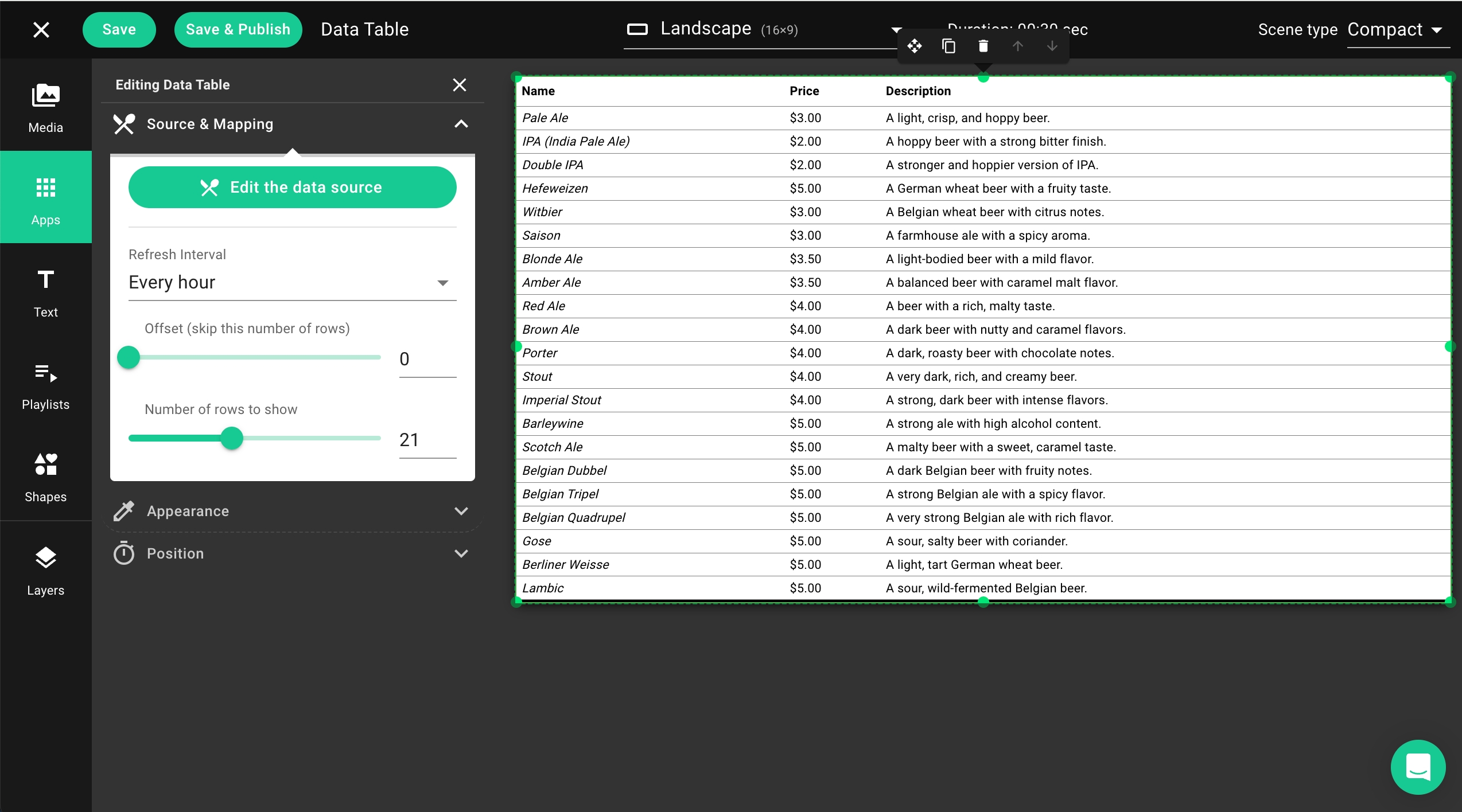
  • Content Types: Supports videos, images, PDFs, live streams, web URLs, and social media feeds via templates.
  • Layout & Scheduling Tools: Drag-and-drop scene builder, nested playlists, daypart planning, and fallback rules ensure timely display.
  • Devices & Playback: Supports Android TV, Windows, Linux, Raspberry Pi, and commercial displays; auto-play on boot, frame overlay, and power control via HDMI-CEC.
  • Remote Operations: Monitor uptime, update remotely, get alerts, and enforce USB port lockdowns via the cloud dashboard.
  • Analytics & Reporting: Built-in dashboards provide proof-of-play metrics, AI-driven audience stats, and transition logs to optimize campaigns.
  • Custom Integrations: Compatible with POS, queue systems, reservation tools, and other external software via APIs or bespoke development.

Looking for the right software? Trust SoftGuide!

Our experts will find the perfect solution for you - independently and at the cutting edge of software trends.
 

Looking for the right software? Trust SoftGuide!

Technical specifications:

Manufacturer:
ScreenManager
Web-based:
yes
SaaS, Cloud:
yes
On-premises (local installation):
no
AI Supported:
no
Multi-user (network-compatible):
no
Multi-client compatible:
no
Manufacturer based in:
Czech Republic
Dialogue language(s):
English, Czech
System requirements:
Compatible operating systems (runs with):
Win 11
Win 10
Win Server
Mainframe based
Unix based
Linux based
Mac OS
Mobile OSs (supports):
iOS
Android
Old Compatible Operating Systems:
Win 8
Win 7

Alternatives

ScreenManager
Event-IS
Projektron BCS - Web-based project management software
All in One Accessibility®
Scrivito
expeedo
CyberLink PowerDirector
Cavok
AdmiralCloud - Digital Asset Management
InterRed
ScreenManager
Event-IS
Projektron BCS - Web-based project management software
All in One Accessibility®
Scrivito
expeedo
CyberLink PowerDirector
Cavok
AdmiralCloud - Digital Asset Management
InterRed
Elevator Pitch
Cloud-based signage CMS with AI analytics, remote monitoring, and seamless playback.
IT solution for room & workstation booking, conference management and digital signage
Projektron BCS – The web-based software for managing your projects
AI-powered Website accessibility solution for WCAG 2.0, 2.1, 2.2, EAA and ADA compliance!
Future-proof Enterprise Web CMS
E-commerce solution and store system with CMS, PIM, SCM, PunchOut (OCI and Ariba), shop-in
Intuitive video editing
Organize, edit and distribute digital content centrally
Full scope of services for optimised workflows and sensational media experiences
InterRed: Multi Channel Publishing
Multi-user (network-compatible)
no
yes
yes
yes
yes
yes
no
yes
yes
yes
Multi-client compatible
no
yes
yes
no
yes
yes
no
yes
yes
yes
Compatible with


Interfaces
confluence
DATEV online
E-Mail-Server
Eclipse BIRT
HCL
IBM
ilink TeamCall Telephony Access Platform
JDBC
JIRA
Microsoft Office
OAuth
OpenID
SAP
Termin-Abo 365/Exchange
WebDAV
Web services REST/SOAP
Other requirements for soft- and hardware
Database: Oracle version 8i or higher or MS-SQL version 2000 or higher
Finden Sie alle stets aktuell auf unserer Website: https://www.projektron.de/bcs/technische-aspekte/systemanforderungen/
  • Processor (CPU): Intel Core™ i-series or AMD Phenom® II and higher
  • Graphics card (GPU): Standard-Video: 128 MB VGA VRAM or higher, 360-Video: DirectX 11 compatible, AI-Plug-In: 2GB VGA VRAM or higher.
  • Memory (RAM): 2GB (6GB or more recommended)
  • Disk Space: 7GB for product installation
  • Disk burner: A writable device is required for burning files and media.
  • Soundcard: Windows compatible soundcard
  • Internet access: Internet connection required for initial software activation and activation of certain file formats.
  • Screen resolution: 1024 x 768, 16-Bit or higher
AdmiralCloud is a high-performance cloud-based digital media management solution.
Client: web browser
Dialogue language(s)
English, Czech
English, German, French
English, Bulgarian, Catalan, Corsican, Czech, Welsh, Danish, German, Greek, Spanish, Estonian, Finnish, French, Irish, Scots/Gaelic, Hindi, Croatian, Hungarian, Armenian, Indonesian, Icelandic, Italian, Hebrew, Japanese, Georgian, Korean, Lithuanian, Latvian/Lettish, Macedonian, Moldavian, Dutch, Norwegian, Polish, Portuguese, Romanian, Russian, Slovak, Slovenian, Serbian, Swedish, Turkish, Ukrainian, Vietnamese, Chinese, Afrikaans, Arabic, Albanian
English, German
English, German

English, German, French
English, German, Spanish, French, Italian
English, German, French
Documentation
Manual
Online Help
Demo version
Technical documentation
Manual
Online Help
Demo version
Technical documentation
Manual
Online Help
Demo version
Technical documentation
Manual
Online Help
Demo version
Technical documentation
Manual
Online Help
Demo version
Technical documentation
Manual
Online Help
Demo version
Technical documentation
Manual
Online Help
Demo version
Technical documentation
Manual
Online Help
Demo version
Technical documentation
Manual
Online Help
Demo version
Technical documentation
Manual
Online Help
Demo version
Technical documentation
Number of installations
> 145
800
mehr als 100
zehntausende Anwender
First installation (year)
1999
2001
1993
2011
2015
1998
Compare other alternatives to ScreenManager