Software > Multimedia Content > Digital Signage > NoviSign
Cloud-based digital signage software supporting Android, Windows, and Chrome OS.

NoviSign

Cloud-based digital signage software supporting Android, Windows, and Chrome OS.


Updated on 06. Jul 2026 by SoftGuide

What is NoviSign

NoviSign is a cloud-based digital signage platform designed to simplify the creation, scheduling, and management of multimedia content across multiple displays. Operating as a Software as a Service (SaaS) solution, it allows users to manage their digital signage remotely through a web-based interface, eliminating the need for on-premise installations. NoviSign supports various operating systems, including Android, Windows, and Chrome OS, ensuring flexibility in deployment. The platform is compatible with a wide range of hardware, such as Android devices, Windows PCs, and Chrome-based devices, providing versatility to meet different business requirements.

Advantages of using NoviSign

  • Cross-Platform Compatibility: Supports Android, Windows, and Chrome OS, allowing integration with existing hardware.
  • Cloud-Based Management: Enables remote content creation, scheduling, and updates from any location with internet access.
  • User-Friendly Interface: Offers an intuitive drag-and-drop editor, making it accessible for users without technical expertise.
  • Scalability: Suitable for businesses of all sizes, from single-location setups to multi-location networks.
  • Offline Functionality: Ensures continuous playback even during internet outages, as content is cached locally on the device.
  • Interactive Features: Provides support for touch screens, QR codes, and other interactive elements to enhance audience engagement.
  • Real-Time Updates: Allows instant content updates across all connected displays, ensuring timely and relevant messaging.

Functions Extract

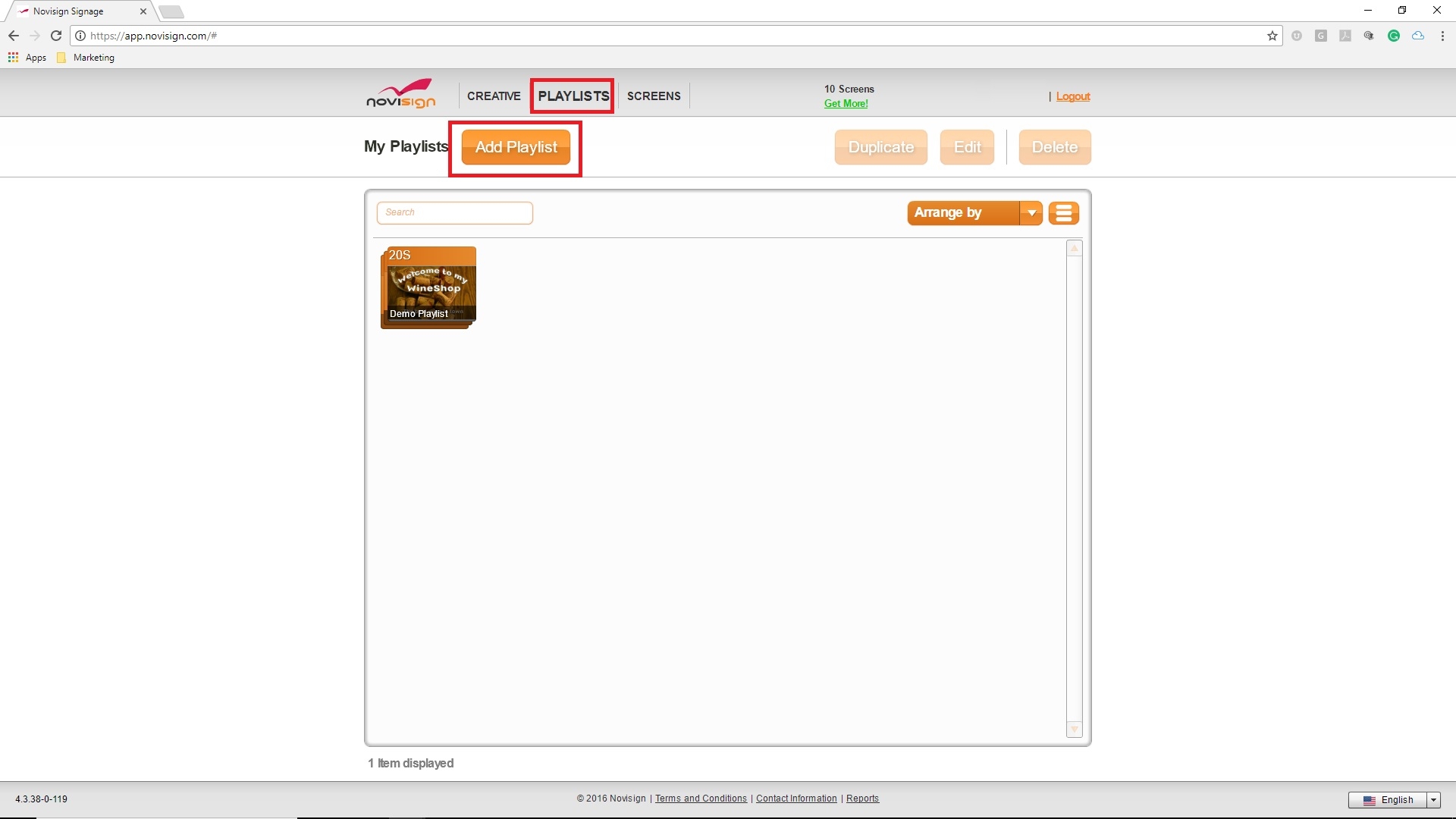
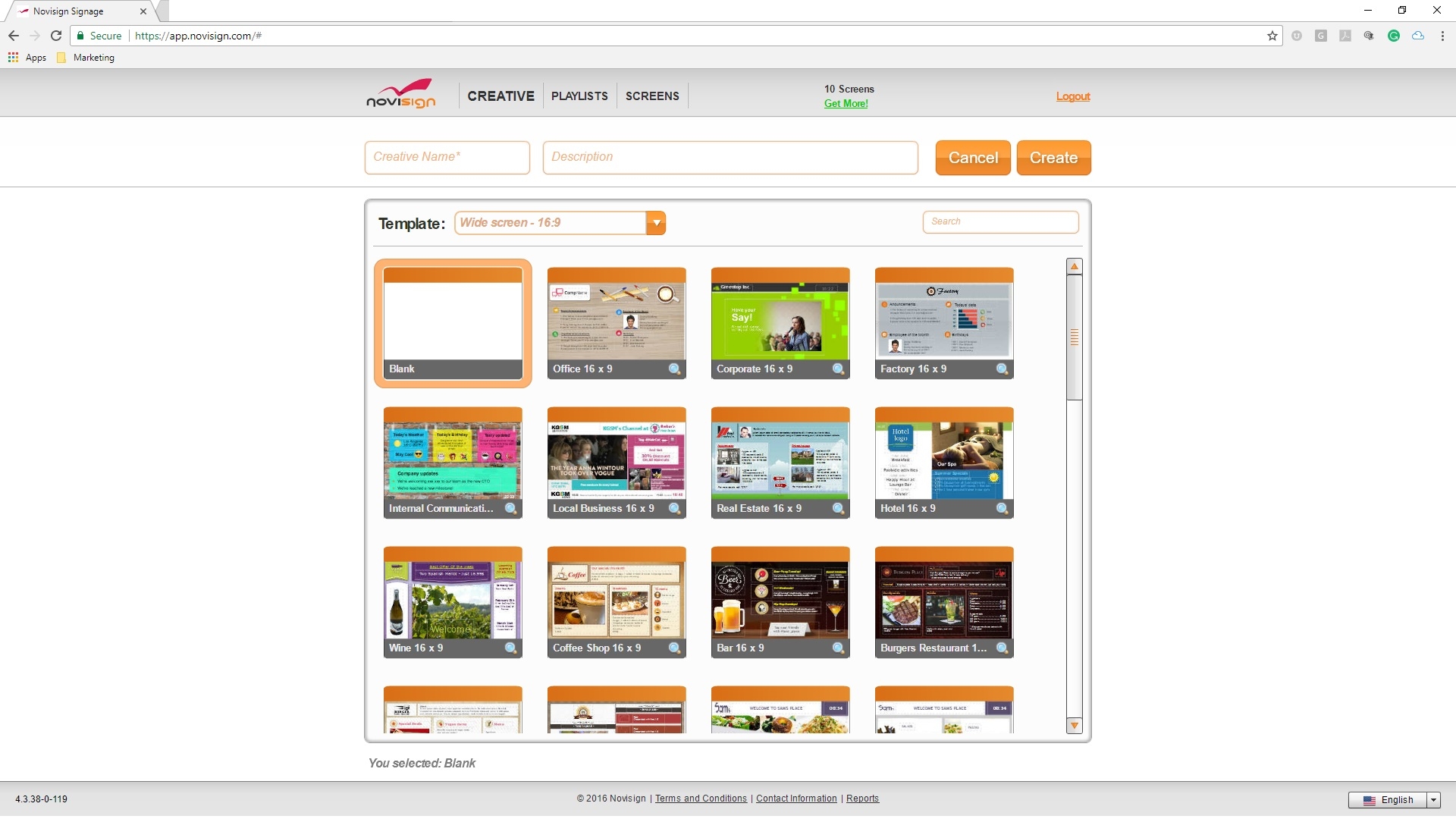
  • Content creation with customizable templates and widgets
  • Flexible scheduling and playlist management
  • Remote monitoring and control of displays
  • Support for various media formats (images, videos, HTML5, RSS feeds)
  • Integration with external data sources and applications
  • User role management with access controls
  • Responsive design for access via desktops, tablets, and smartphones
  • Analytics and reporting tools for performance tracking
  • Multi-zone screen layouts for displaying diverse content simultaneously
  • Interactive kiosk support for touch-enabled applications
Screenshots


Looking for the right software? Trust SoftGuide!

Our experts will find the perfect solution for you - independently and at the cutting edge of software trends.

Similar Software:

Looking for the right software? Trust SoftGuide!

Technical specifications:

Web-based:
yes
SaaS, Cloud:
yes
On-premises (local installation):
no
AI Supported:
no
Multi-user (network-compatible):
no
Multi-client compatible:
no
Vendor based in:
Israel
Dialogue language(s):
English, German
System requirements:
Compatible operating systems (runs with):
Win 11
Win 10
Win Server
Mainframe based
Unix based
Linux based
Mac OS
Mobile OSs (supports):
iOS
Android
Old Compatible Operating Systems:
Win 8
Win 7

Corresponding categories for NoviSign:

Alternatives

NoviSign
expeedo
nectar LMS
BCS (Business Coordination Software)
NoviSign
expeedo
nectar LMS
BCS (Business Coordination Software)
Elevator Pitch
Cloud-based digital signage software supporting Android, Windows, and Chrome OS.
E-commerce solution and store system with CMS, PIM, SCM, PunchOut (OCI and Ariba), shop-in
nectar LMS combines digital learning, seminars, and AI.
BCS – ERP for service providers with a focus on project management
Multi-user (network-compatible)
no
yes
yes
yes
Multi-client compatible
no
yes
yes
yes
Compatible with


Interfaces
alfaview, ATOSS Time Control, LDAP, Loga HR, LTI 1.1... +13
confluence, DATEV online, E-Mail-Server, Eclipse BIRT, HCL... +11
Other requirements for soft- and hardware
nectar LMS is a web-based, multi-user and multi-tenant learning management platform. The system includes a range of AI-powered features and is available either as a Software-as-a-Service solution hosted in Germany or as a self-hosted deployment. The browser-based user interface supports Windows 10, Windows 11, macOS and Linux, as well as mobile devices running iOS or Android. According to the current product specifications, the server-side system requirements for a self-hosted installation are: - Linux - Apache 2 or later - MariaDB 10.11 or later - PHP 8.3 or later - At least 10 GB of available storage - At least 6 GB of RAM
Dialogue language(s)
English, German
English, German
English, German, French, Italian, Polish... +5
English, German, French
Documentation
Manual
Online Help
Demo version
Technical documentation
Manual
Online Help
Demo version
Technical documentation
Manual
Online Help
Demo version
Technical documentation
Manual
Online Help
Demo version
Technical documentation
Number of installations
800
First installation (year)
1993
2001