Software > Multimedia Content > Digital Signage > QuickESign
Cloud-based digital signage platform optimized for Roku, Fire TV, and Android TV.

QuickESign

Cloud-based digital signage platform optimized for Roku, Fire TV, and Android TV.


Updated on 20. Jan 2026 by SoftGuide

What is QuickESign?

QuickESign is a cloud-based digital signage platform designed to simplify the creation, scheduling, and management of multimedia content across various displays. The system operates as a Software as a Service (SaaS) solution, allowing users to manage their digital signage remotely through a web-based interface, eliminating the need for on-premise installations. QuickESign supports multiple operating systems, including Windows, macOS, Linux, Android, iOS, and Chrome OS, ensuring flexibility in deployment. The platform is compatible with any screen that has an HDMI input and a standard 16:9 aspect ratio. A dedicated digital sign player connects to the display and the internet, enabling seamless content updates.

Advantages of using QuickESign

  • Centralized Content Management: Manage all digital signage content from a single, cloud-based platform, enhancing efficiency and control.
  • Real-Time Updates: Instantly update content across all connected displays, ensuring timely and relevant messaging.
  • Scalability: Easily scale the digital signage network to accommodate growing business needs without significant infrastructure changes.
  • User-Friendly Interface: An intuitive design allows users of varying technical expertise to create and manage content effectively.
  • Integration Capabilities: Seamlessly integrate with various data sources and applications to enrich content and automate updates.
  • Multi-User Access: Supports multiple user logins with customizable permissions, facilitating collaborative content management.
  • Offline Functionality: Content continues to play even during network disruptions, ensuring uninterrupted display.
  • Dedicated Support: Provides unlimited support, training, and a dedicated account manager to assist with setup and ongoing use.

Functions Extract

  • Content creation and customization tools
  • Flexible scheduling and playlist management
  • Remote monitoring and control of displays
  • Performance analytics and reporting
  • Support for various media formats (images, videos, PDFs, PowerPoints)
  • User role management with access controls
  • Integration with external data sources and applications
  • Responsive design for access via desktops, tablets, and smartphones
  • Over 500 templates, apps, and integrations for content creation
  • Slipstream feature for managing multiple screens simultaneously

Looking for the right software? Trust SoftGuide!

Our experts will find the perfect solution for you - independently and at the cutting edge of software trends.

Similar Software:

Projektron BCS - Web-based project management software

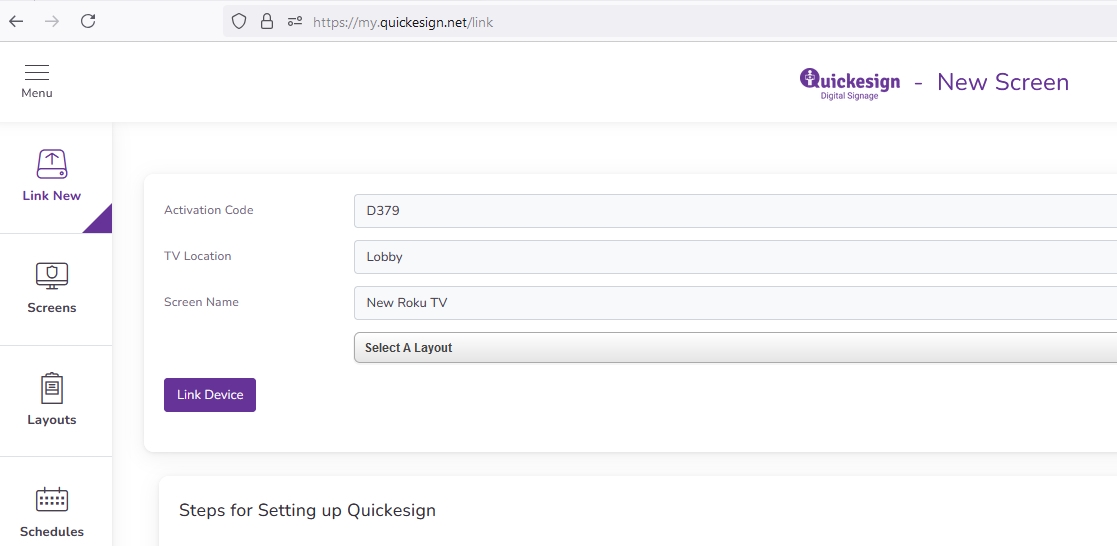
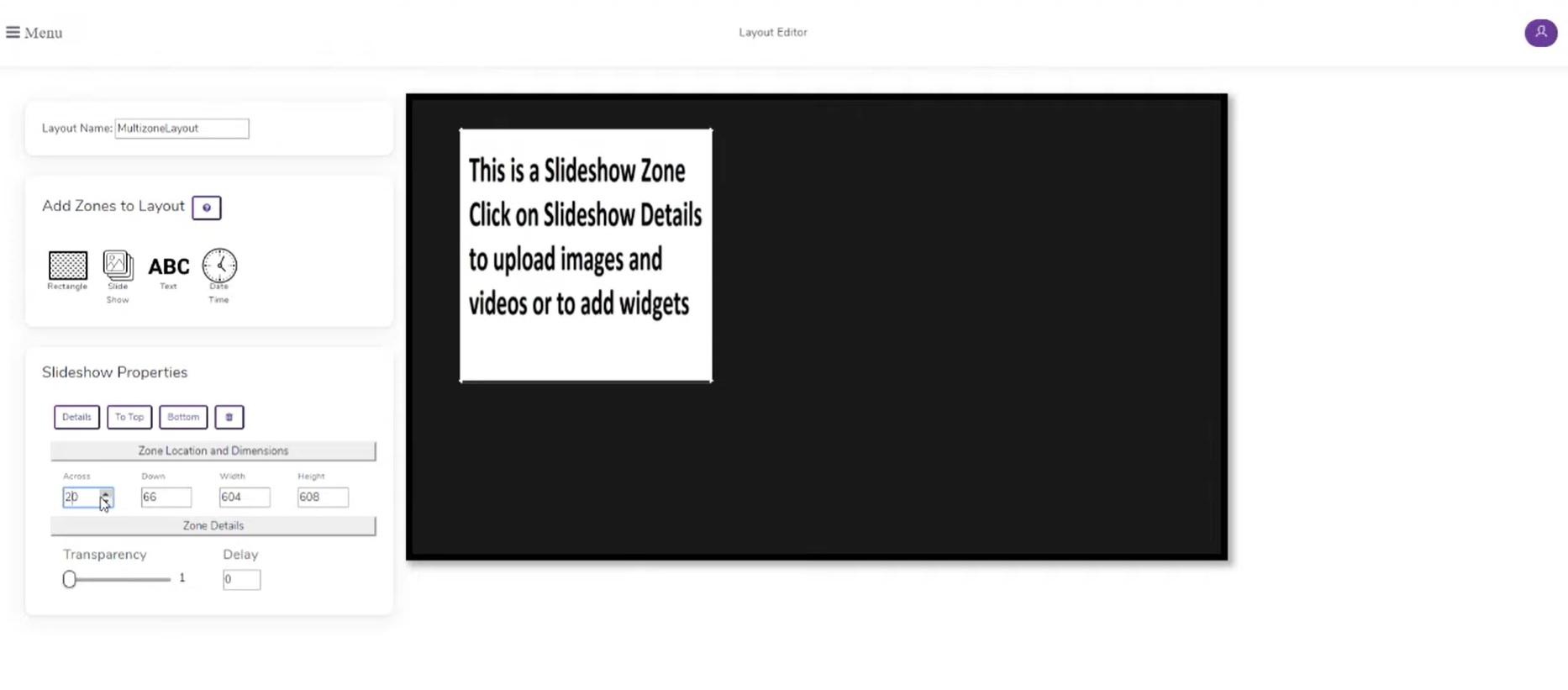
Screenshots


Looking for the right software? Trust SoftGuide!

Technical specifications:

Manufacturer:
Quickesign, LLC.
Web-based:
yes
SaaS, Cloud:
yes
On-premises (local installation):
no
AI Supported:
no
Multi-user (network-compatible):
no
Multi-client compatible:
no
Manufacturer based in:
United States
Dialogue language(s):
English
System requirements:
Compatible operating systems (runs with):
Win 11
Win 10
Win Server
Mainframe based
Unix based
Linux based
Mac OS
Mobile OSs (supports):
iOS
Android
Old Compatible Operating Systems:
Win 8
Win 7

Corresponding categories for QuickESign:

Alternatives

QuickESign
Cavok
Projektron BCS - Web-based project management software
expeedo
Bynder
FotoWare
AcademyManager®
TARGIT Decision Suite
QuickESign
Cavok
Projektron BCS - Web-based project management software
expeedo
Bynder
FotoWare
AcademyManager®
TARGIT Decision Suite
Elevator Pitch
Cloud-based digital signage platform optimized for Roku, Fire TV, and Android TV.
Organize, edit and distribute digital content centrally
Projektron BCS – The web-based software for managing your projects
E-commerce solution and store system with CMS, PIM, SCM, PunchOut (OCI and Ariba), shop-in
Bynder simplifies and automates all digital media processes
The FotoWare server - find, share and use images, graphics and videos more efficiently
The all-in-one system for professional education management
Business Intelligence Plattform
Multi-user (network-compatible)
no
yes
yes
yes
yes
yes
yes
yes
Multi-client compatible
no
yes
yes
yes
yes
yes
yes
yes
Compatible with


Interfaces
confluence
DATEV online
E-Mail-Server
Eclipse BIRT
HCL
IBM
ilink TeamCall Telephony Access Platform
JDBC
JIRA
Microsoft Office
OAuth
OpenID
SAP
Termin-Abo 365/Exchange
WebDAV
Web services REST/SOAP
Adobe InDesign
Adobe PhotoShop
Microsoft Powerpoint
REST API
Schnittstelle zu Microsoft Word
CSV
CSV-Import/-Export
LDAP
LDAP/ActiveDirectory connection - user groups and user authentication
LDAP/ActiveDirectory connection - employee data and company divisions
LDAPs
REST API
SCIM-V2
Other requirements for soft- and hardware
Browser-based
Windows Server 2012 or Windows Server 2008 R2 - only 64 bit versions are supported. Internet Information Services 7.5 or 8.0, or Apache Web Server (supplied in the installer). Connection to an SMTP e-mail server. Supports connection to Windows Server 2003/2008/2012 Active Directory. Browser requirements: Internet Explorer 10 or 11, Mozilla Firefox 34, Apple Safari 8 and Google Chrome 39 are verified. Screen resolution 1280x1024 pixels or more.
Dialogue language(s)
English
English, German, Spanish, French, Italian
English, German, French
English, German
English, German, French
English, German
English, German, French
Documentation
Manual
Online Help
Demo version
Technical documentation
Manual
Online Help
Demo version
Technical documentation
Manual
Online Help
Demo version
Technical documentation
Manual
Online Help
Demo version
Technical documentation
Manual
Online Help
Demo version
Technical documentation
Manual
Online Help
Demo version
Technical documentation
Manual
Online Help
Demo version
Technical documentation
Manual
Online Help
Demo version
Technical documentation
Number of installations
mehr als 100
800
>1000
>400
6.100+
First installation (year)
2011
2001
1993
1998
2008
1996
Compare other alternatives to QuickESign