Software > Multimedia Content > Digital Signage > MangoSigns
User-friendly digital signage platform with customizable templates and scheduling.

MangoSigns

User-friendly digital signage platform with customizable templates and scheduling.


Updated on 24. Dec 2025 by SoftGuide

What is MangoSigns?

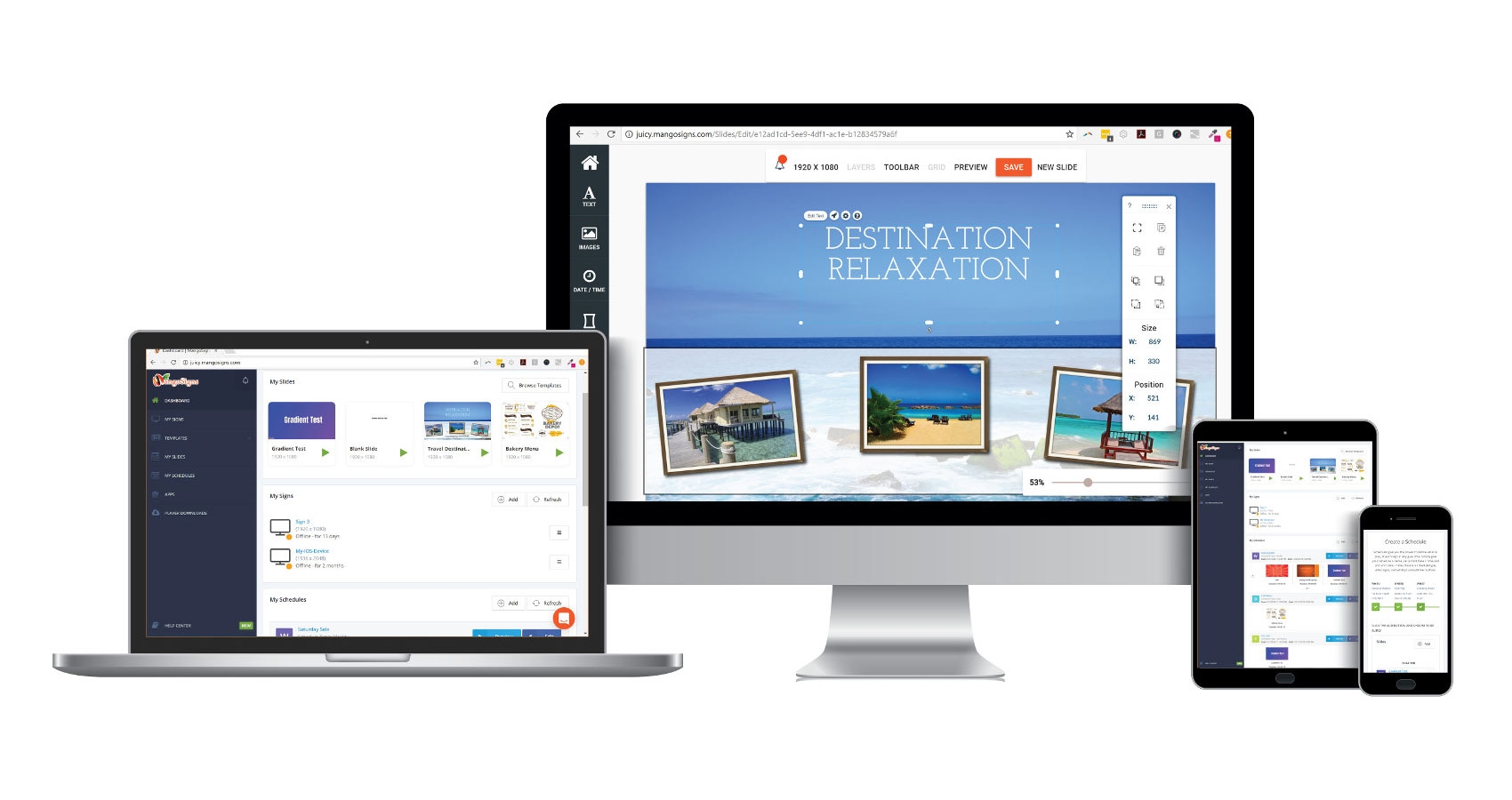
MangoSigns is a digital signage solution that enables businesses and organizations to manage engaging visual content on any screen. Accessible from the web, it supports effortless creation, scheduling, and deployment of multimedia slides, helping streamline communication in offices, schools, stores, and public spaces.

Why Use MangoSigns?

  • Drag-and-Drop Editor: A browser-based editor makes it simple to build slides with text, video, images, and animations using pre-designed templates that can be tailored to fit your brand.
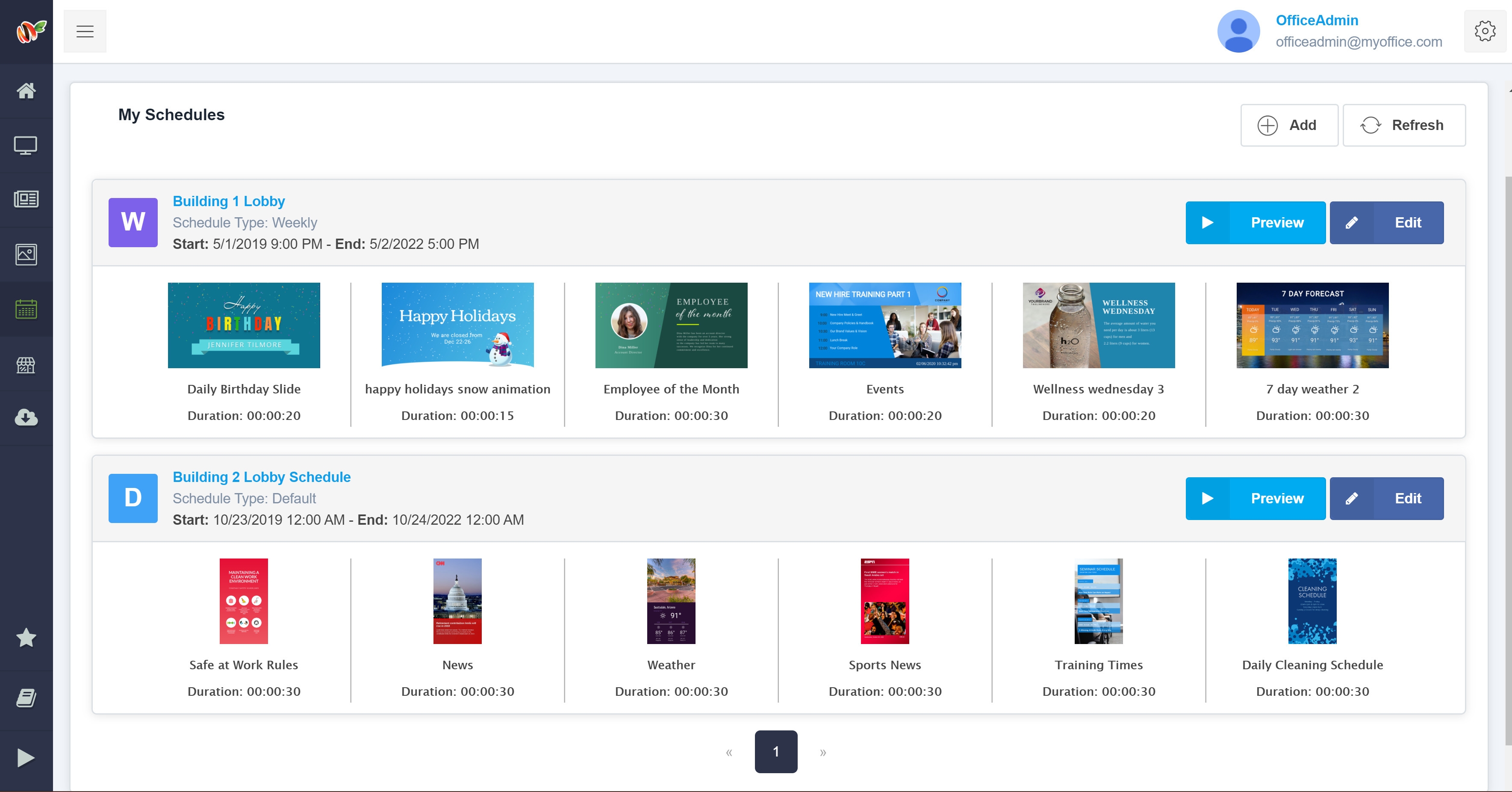
  • Advanced Scheduling: Set up detailed content timelines by time of day, day of week, or custom recurring events. Emergency overrides and real-time updates allow for instant messaging as needed.
  • App Integrations: MangoSigns integrates with a wide range of tools including social media, Google Workspace, YouTube, weather widgets, and Slack to keep screens automatically updated with fresh content.
  • Device Flexibility: Compatible with Android, Windows, Chrome OS, and Fire TV, MangoSigns also offers its own plug-and-play signage player for an easy hardware setup.
  • Offline Playback: Even without internet access, content continues to display smoothly thanks to offline functionality on supported devices.
  • Team Collaboration: Businesses can manage users with defined roles, enabling collaboration across departments or locations with access permissions and shared content libraries.

Functions Extract:

  • Content creation with customizable templates
  • Playlist and time-based scheduling
  • Multi-screen and multi-location support
  • Remote screen control and monitoring
  • App integrations for real-time feeds
  • Multi-user access with permissions
  • Interactive content and touch-screen support
  • Analytics for content performance
  • Multi-zone layout support
  • Offline content playback support

Looking for the right software? Trust SoftGuide!

Our experts will find the perfect solution for you - independently and at the cutting edge of software trends.
 

Functions (excerpt) of MangoSigns:

Animation
API interfaces
Authorization management
Authorization profiles
Automatic Resizing
Cloud
Dashboards
Digital Menu Boards
Digital signage
Digital Signage
Drag-and-Drop-Editor
File import
GIF Format
Google Maps integration
Graphics and logos
HTML integration
Interface to social media
Interfaces
Load files
Menu management
Mobile playback options
Multimedia integration
Offline playback
Player
Presentation
QR code
Remote Management
Rights management
Role Management
Room guidance system
RSS feeds
Sample templates
Scheduling
scrolling texts
Slide show functions.
Social Media
Time planning
Timing options
User Groups
User management
Weather data query
Web service integration
WYSIWYG editor

Looking for the right software? Trust SoftGuide!

Technical specifications:

Manufacturer:
Mango Signs LLC
Web-based:
yes
SaaS, Cloud:
yes
On-premises (local installation):
no
AI Supported:
no
Multi-user (network-compatible):
no
Multi-client compatible:
no
Manufacturer based in:
United States
Dialogue language(s):
English
System requirements:
Compatible operating systems (runs with):
Win 11
Win 10
Win Server
Mainframe based
Unix based
Linux based
Mac OS
Mobile OSs (supports):
iOS
Android
Old Compatible Operating Systems:
Win 8
Win 7

Corresponding categories for MangoSigns:

Alternatives

MangoSigns
Cavok
Event-IS
FrontFace
MangoSigns
Cavok
Event-IS
FrontFace
Elevator Pitch
User-friendly digital signage platform with customizable templates and scheduling.
Organize, edit and distribute digital content centrally
IT solution for room & workstation booking, conference management and digital signage
Software for professional digital signage and kiosk applications
Multi-user (network-compatible)
no
yes
yes
yes
Multi-client compatible
no
yes
yes
no
Compatible with


Other requirements for soft- and hardware
Database: Oracle version 8i or higher or MS-SQL version 2000 or higher
.NET Framework 4.6.1 or higher (will be installed automatically if not available) Windows Media Player 11 or higher (only required for video playback) Any display(s): All resolutions and aspect ratios (portrait/landscape) are fully supported, including Full HD and 4K, of course
Dialogue language(s)
English
English, German, Spanish, French, Italian
English, German, French
Documentation
Manual
Online Help
Demo version
Technical documentation
Manual
Online Help
Demo version
Technical documentation
Manual
Online Help
Demo version
Technical documentation
Manual
Online Help
Demo version
Technical documentation
Number of installations
mehr als 100
> 145
First installation (year)
2011
1999
Functions
43/43
9/43
5/43
5/43