Software > Business Management > Document Management Systems (DMS) > Document Holder
File Management: Keep digital files, documents, and workflows under control.

Document Holder

File Management: Keep digital files, documents, and workflows under control.


Updated on 27. Oct 2026 by Ladewig GmbH
Online demonstration

What is Aktenplatz?

Aktenplatz is a document management system (DMS) for companies and organizations that want to manage their documents, files, and workflows in one central location. The software combines digital file management with task management, document archiving, and team collaboration. Instead of searching for information in various folders, email inboxes, and applications, you can find the relevant documents directly within the respective case.

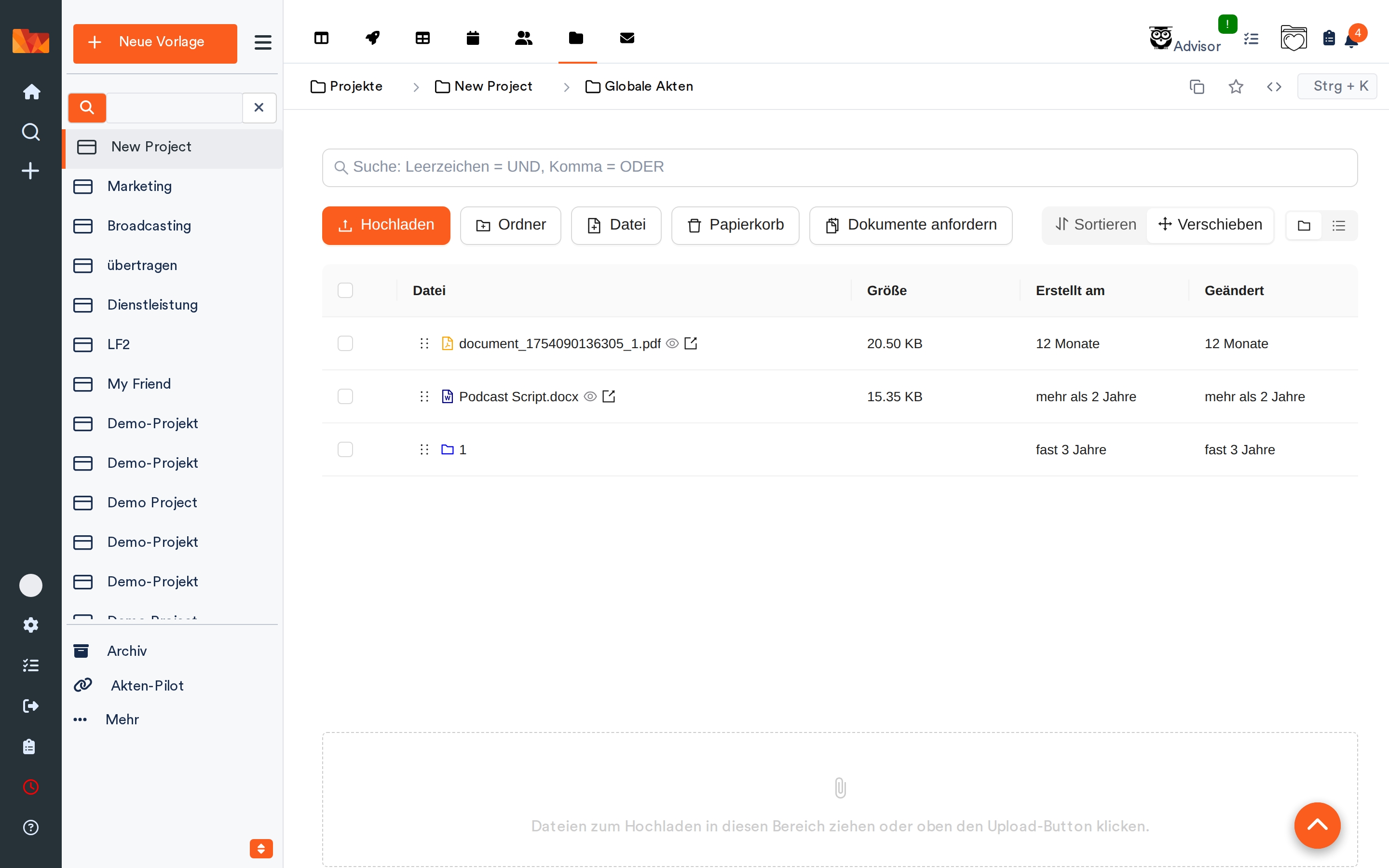
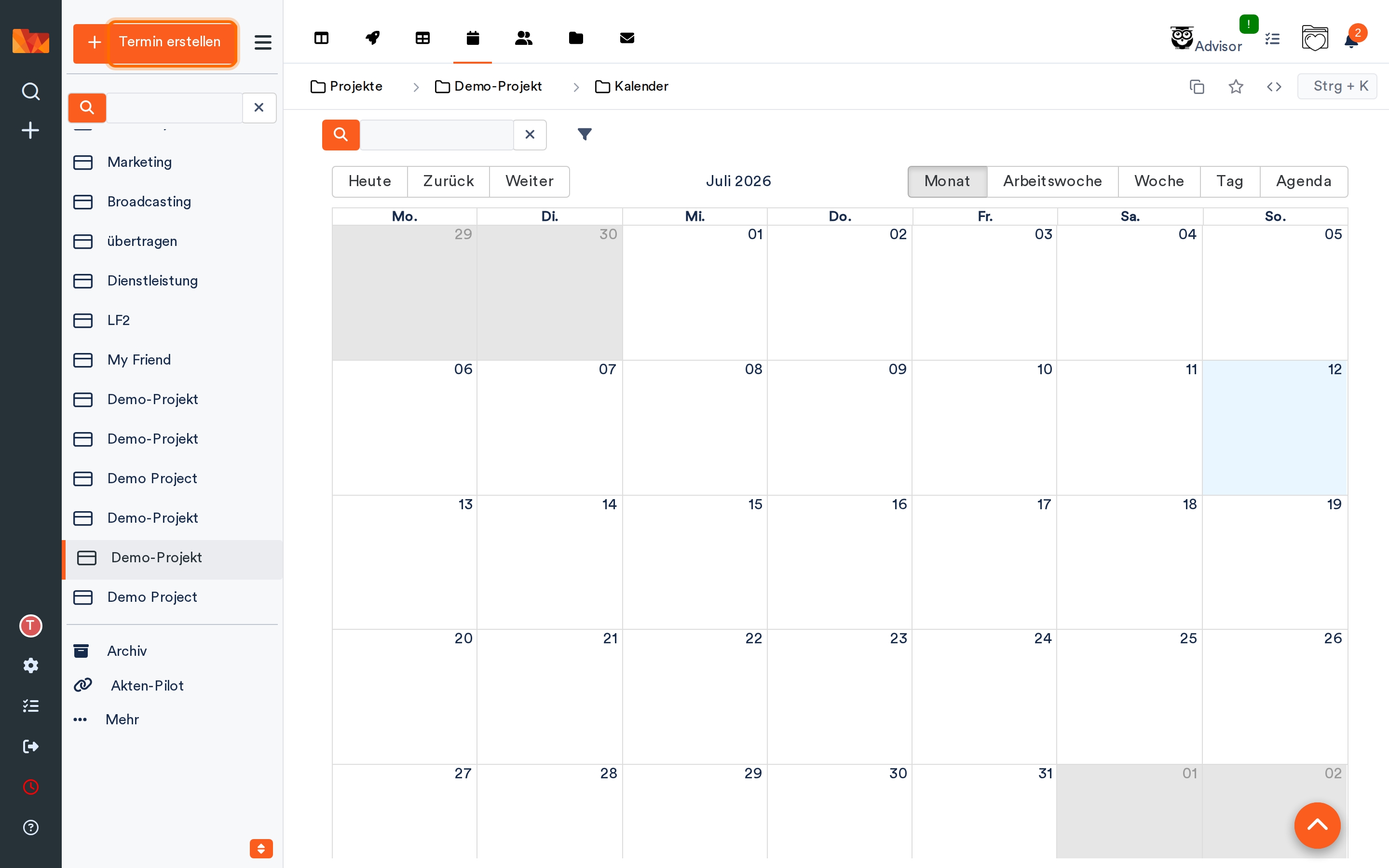
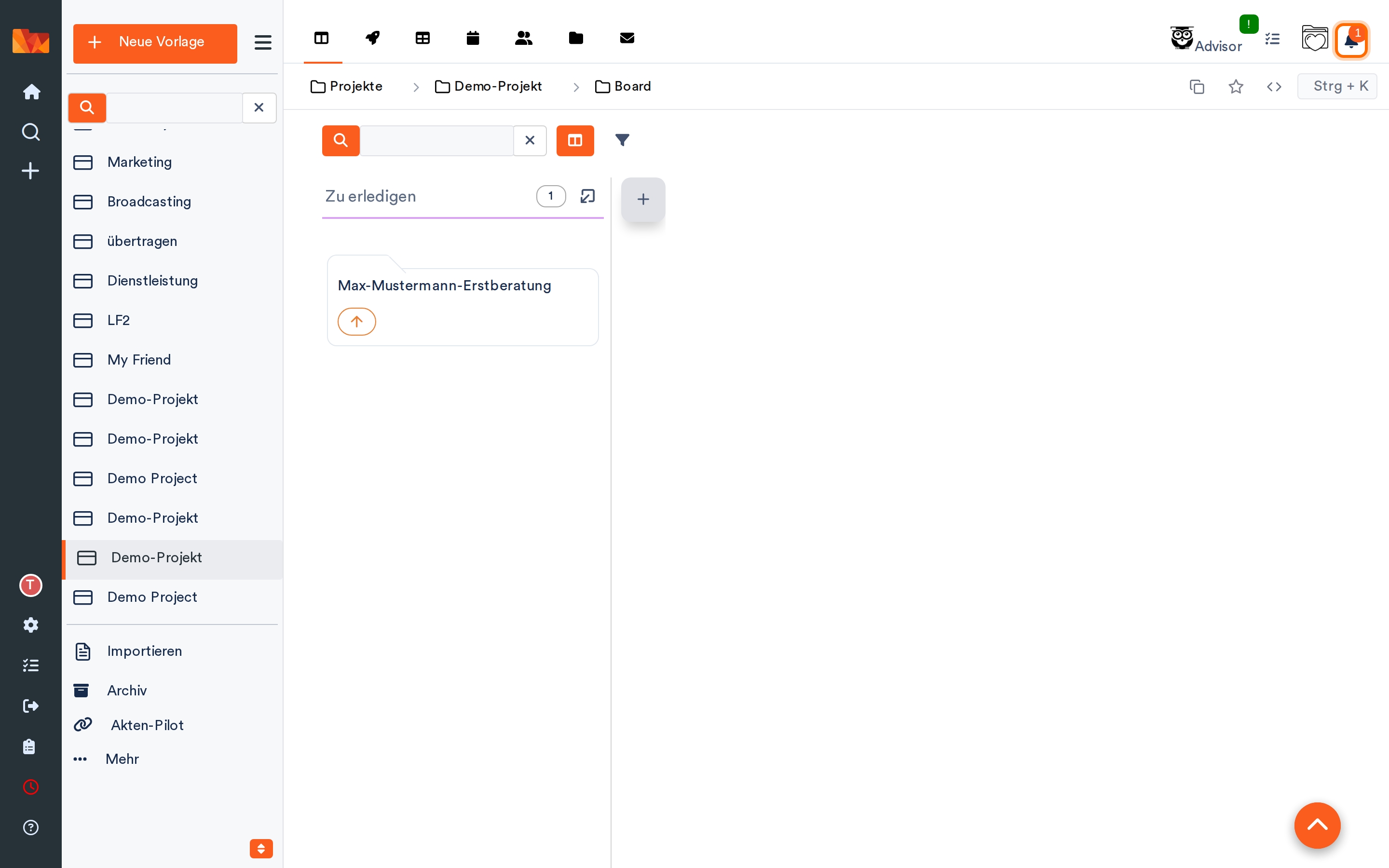
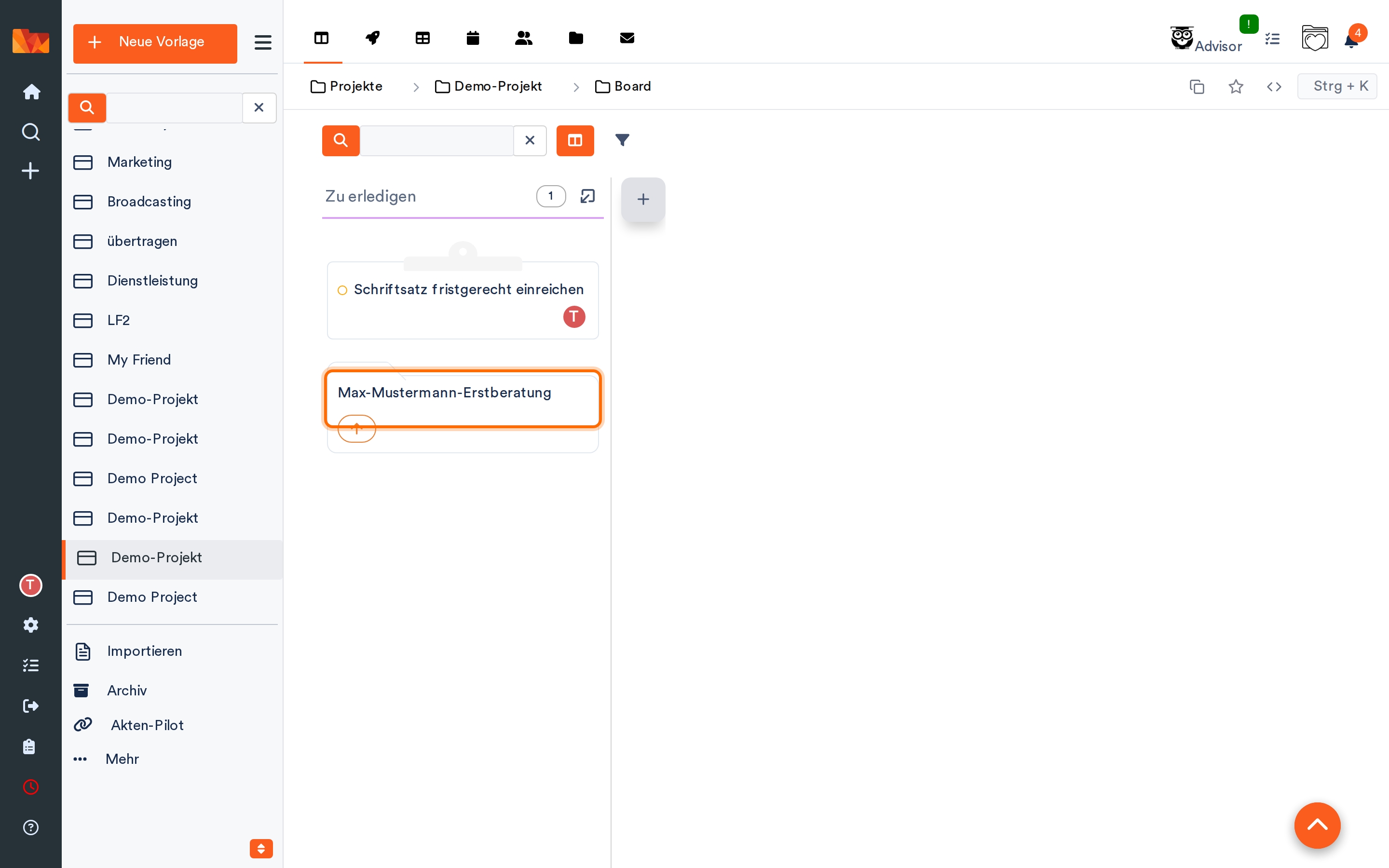
The digital file is at the heart of the system. It contains not only documents but also notes, contacts, emails, appointments, tasks, and the file’s processing history to date. Files can be linked to one another and organized into projects. For day-to-day work, features include a table view, a calendar view, and a Kanban board. This helps you maintain an overview even when you have numerous active cases.

Highlights and Key Features

  • Digital file management: Documents, contacts, notes, emails, and tasks are clearly consolidated into digital files.
  • Automatic document filing: The automatic filing system processes incoming documents and assigns them to the appropriate files based on configurable rules.
  • OCR and full-text search: Even scanned documents become searchable through text recognition. Search and filter functions make it easy to find the information you need.
  • Workflow Management: Recurring workflows can be automated using rules, tasks, status changes, and notifications.
  • Versioning and Archiving: Document versions and changes remain traceable. Audit-proof archiving is available for long-term storage.
  • Tasks and Deadlines: Responsibilities, priorities, deadlines, and reminders are directly linked to the relevant files.
  • Team Collaboration: Comments, shared notes, user groups, and differentiated access rights support coordination among employees.
  • Customer and Client Portal: External parties are granted secure access to exchange documents or provide requested materials.
  • Mobile access: Aktenplatz can be used in a browser as well as via mobile apps for Android and iOS.
  • Interfaces: The software supports various integrations, such as with Microsoft 365, Outlook, OneDrive, SharePoint, and accounting solutions. An API is available for more advanced integrations.

Organize Documents and Workflows Together

Aktenplatz goes beyond simple file storage. Tasks are created directly within the relevant process and assigned to responsible parties. Templates and automation rules can be used to prepare recurring steps. This is helpful, for example, when incoming invoices need to be reviewed, contracts need to be approved, or documents need to be compiled for a customer order.

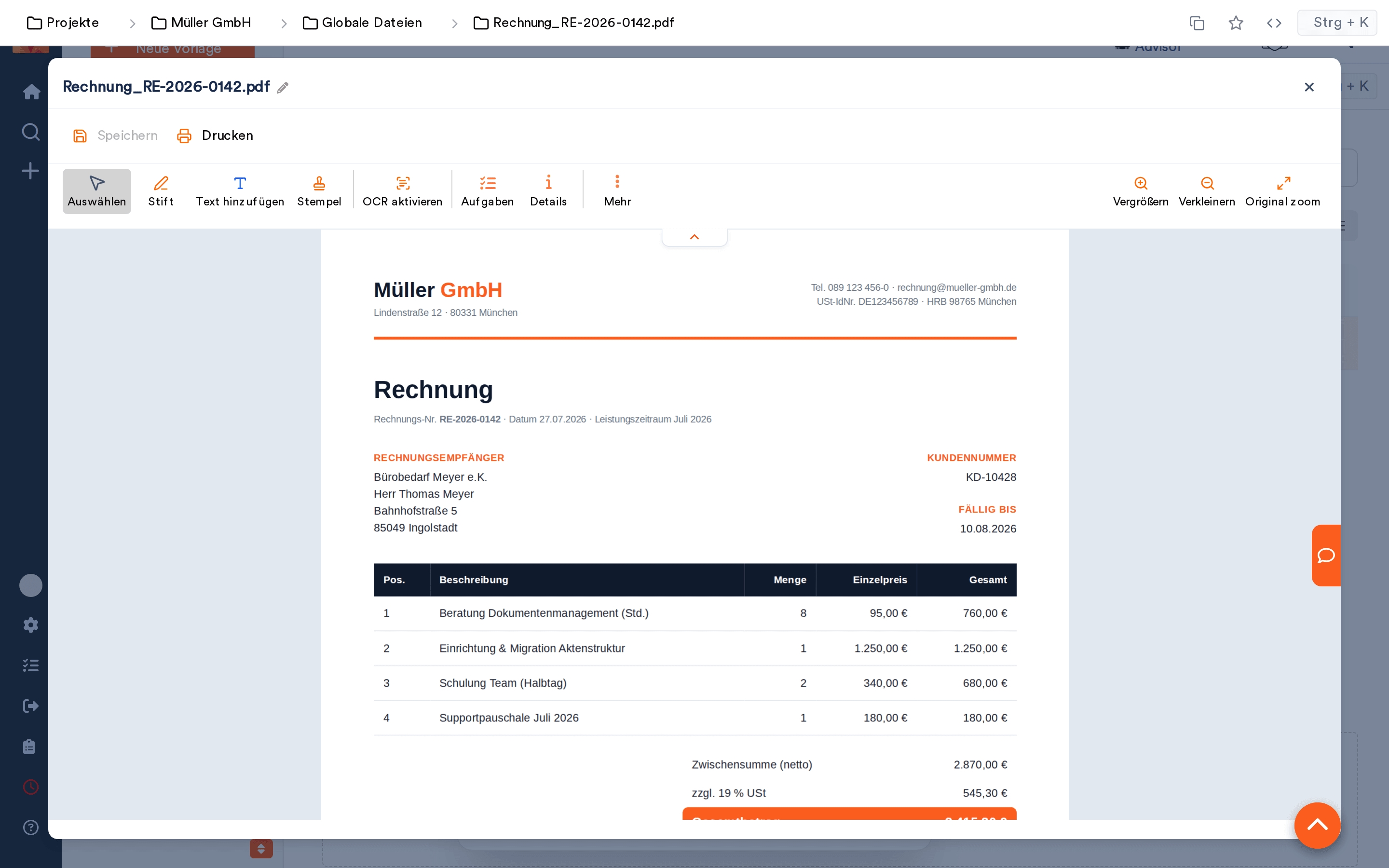
Document editing is also integrated into the work environment. Files can be uploaded, organized, versioned, and viewed in the browser. For PDF documents, annotation and stamping functions are available, among other features. Changes are logged, while roles and permissions determine who is allowed to read or edit specific information.

Flexible Deployment and Data Protection

Aktenplatz is offered by default as a cloud solution hosted in German data centers. For organizations with their own infrastructure requirements, dedicated hosting and operation in their own data center are also possible. The software thus supports a variety of requirements for data storage and IT operations.

The vendor places particular emphasis on data protection, traceable changes, and support for GoBD-compliant documentation and archiving processes. Features such as access controls, two-factor authentication, and audit logs help ensure the controlled management of business information.

Implementation with Personal Support

Implementing a document management system often involves more than just the technical setup. Existing filing structures must be reviewed, documents migrated, and responsibilities defined. Upon request, the provider assists with analyzing existing processes, setting up the file structure, data migration, and training your employees.

Whether you want to start by digitizing a single department or set up a centralized document management system for multiple locations, Aktenplatz can be adapted to different organizational structures. During a personalized product demonstration, you can discuss your requirements and see how Aktenplatz can map out your document management and related workflows.

Target groups:

  • Small and medium-sized businesses that want to organize their documents, processes, and internal workflows digitally.
  • Law firms, tax advisors, management consultancies, and other service providers with extensive client and project files.
  • Industrial, manufacturing, retail, and trade companies with requirements for documentation, approvals, and cross-departmental collaboration.
  • Government agencies, municipalities, educational institutions, and public organizations with high standards for data protection, traceability, and digital record-keeping.
  • Clubs, associations, and nonprofit organizations that want to centrally manage documents and organize collaboration between employees and external stakeholders.

Screenshots

Functions (excerpt) of Document Holder:

Absence management
access controls
Access rights
API interfaces
Approval workflow
Archive access rights
Archiving
Attribute search
Audit-proof archiving
Aufgabenplanung
Aufgabenpriorisierung
Authorization management
Automated correspondence
Automated import
Automatisierte Klassifizierung
Backup
Calendar and appointment management
Categorization
Change documentation
Collaboration
Collaboration management
Comment function
communication
Contact management
Creation and deletion of documents
Customer portal
Customizing
Dashboards
Data export
Data import
Database interfaces
Deduplicate functions
Digitization
DMS
Document access
Document annotation
Document archiving
Document archiving
Document classification
Document composition
Document control
Document display
Document indexing
Document input
Document management
Document preview
Document repository
Document stamp
Document templates
Document versioning
Document workflow
Drag & Drop
E-mail alerts
E-mail archiving
E-mail attachments
E-mail integration
E-mail management
E-mail notification
Edit History
electronic archive
Electronic files
Encryption
Export functions
File archiving
File bundling
File contents
File import
File management
File Manager
File plan
File processing
File sharing
File sharing
File transfer
Filing structures
Full text search
GoBD
Import functions
Incoming mail processing
Indexing
Interfaces
Invoices
Keyword search
Keywording
Logging
Merge PDFs
Metadata
Metadata search
Mobile time recording
Multi-user capability
Multilingualism
Multitenancy
Notes
Notification system
Organize & Arrange
PDF creation
PDF editing
PDF Viewer
Personnel time recording
Preview
Process automation
Process control
Process history
Process management
Processing status
Project documentation
Project Management
Project templates
Project time recording
Push messages
QR code
Release management
Reminder functions
Remote access
Resubmissions
Revision security
Rights management
Role Management
Scalability
Scanner
Scheduled workflows
Scheduling
Search
Serial appointments
Software integration
Status changes
Subtasks
Tagging function
Task folder
Task management
Task tracking
Tax consultant interface
Template management
templates
Text Recognition (OCR)
Time recording
To-do lists
Transaction documents
User Groups
User management
User-defined database fields
Vacation Request System
Version management
Versioning
Workflow management
Workflow status
Working time recording

Price

299.00
EUR
plus 19% VAT
once
Starter Kit
399.00
EUR
plus 19% VAT
annually
Professional
Contact information:
Mr. Sascha Ladewig
+49 89 21542631
Explore more about the software:
Software exposé
request URL
Contact:
Send message
Customers asked
Aktenplatz is a document management system (DMS) that combines digital file management, document archiving, task management, and workflow automation. Documents, emails, notes, contacts, and appointments are organized centrally in digital files.
Aktenplatz is suitable for small and medium-sized businesses, service providers, law firms, trade and industrial companies, as well as public institutions and organizations. The software is particularly helpful when there is a need to manage a large number of documents, document processes, and coordinate tasks among multiple employees.
Yes. Aktenplatz offers features for audit-proof document archiving, version control, and change logging. The vendor describes the solution as a tool to support GoBD-compliant archiving processes. Actual compliance with legal requirements also depends on the company’s setup and organizational processes.
Yes. Aktenplatz supports OCR text recognition, so even scanned paper documents and image-based PDFs become searchable. You can use the full-text search to find documents based on their content. Additional search filters help you narrow down the results.
The automatic filing system processes incoming documents and assigns them to the appropriate files or cases based on configurable rules. Document content, file references, and other characteristics can be taken into account. A test run is available for verifying the rules.
Employees can collaborate on digital files, assign tasks, leave comments, and edit notes. User groups and permissions control access to information. Documents can also be shared with external parties through the customer and client portal.
Yes. Aktenplatz offers various integrations and synchronization options, such as for Microsoft 365, Outlook, OneDrive, SharePoint, Nextcloud, and select accounting systems. The Enterprise plan includes a REST API that can be used to connect additional applications.
Aktenplatz is offered by default as a managed cloud solution in German data centers. Alternatively, dedicated hosting and on-premises deployment in the customer’s own or a municipal data center are available. For specific security requirements, the provider also describes operation in isolated environments.
Yes. The web application can be used via a browser on Windows, macOS, and Linux. Aktenplatz also offers mobile apps for iPhone, iPad, and Android devices. These apps allow you to, for example, open files, create documents, and manage tasks.

Discover our solution with a personalised product demonstration and explore its key features and potential applications. To help you get started, we also offer a supported Starter Package for a one-off fee of €299.

The Professional plan costs €360 per user per year, and includes support for up to 25 users and 500 GB of storage. For larger organisations, we offer tailored Enterprise solutions, with pricing and features adapted to your specific requirements.

Please get in touch to arrange a personalised product demonstration or to find out more about our pricing plans and Starter Package.
Technical specifications:

Web-based:
yes
SaaS, Cloud:
yes
On-premises (local installation):
yes
AI Supported:
yes
Multi-user (network-compatible):
yes
Multi-client compatible:
yes
Maintenance:
included in price
Customizing:
possible for a fee
Manufacturer based in:
Germany
Training:
included in price
Hotline:
for a fee
Installation support:
included in price
Documentation:
Manual, Online Help, Technical documentation
Dialogue language(s):
English, German
System requirements:
Compatible operating systems (runs with):
Win 11
Win 10
Win Server
Mainframe based
Unix based
Linux based
Mac OS
Mobile OSs (supports):
iOS
Android