Software > Production, Procurement > Capacity Planning > PLANOUT
Project Planning, Machine Utilization, Personnel Utilization Planning

PLANOUT

Project Planning, Machine Utilization, Personnel Utilization Planning


Updated on 01. Jul 2026 by SoftGuide

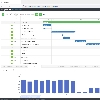
PLANOUT is a multi-project planning system for company-wide planning of projects and orders. The intelligent interlocking of PLANOUT components enables convenient and efficient cross-project planning of resources, e.g. employees or machines.

Your advantages

  • Project planning and project management
  • Machine planning, personnel planning, scheduling
  • Fast, efficient methodology
  • Step-by-step refinement from rough to detailed planning
  • Status and resource monitoring
  • Central program for all planning tasks
  • Multi-user and multi-project capable
  • Integrated access and rights management
  • Clear and easy to learn user guidance
  • Automatic deadline calculation functions
  • True multi-project planning with central data storage
  • Automatic tasks and central data backup
  • User authorizations prevent unauthorized access and operating errors
  • Task-related user interface for efficient work in the system

The highlights

  • Dynamic bottleneck detection and clear color coding in case of overload
  • Automatic display of all affected resources
  • Flexible, individual data areas through feature bars
  • Fast planning of new projects through project templates

The special

  • Quick and easy maintenance of the available capacity
  • Coupling with external systems for calendar adjustment possible
  • Own capacity management per resource
  • Individual vacation and working time calendars
  • Hierarchical resource structure for simple rough planning

At a glance

  • All evaluations from a central database
  • Customizable and expandable reporting system
  • The visualizer always keeps you up to date
  • PLANOUT data can also be linked to data from third-party systems

Important functions

  • Direct data exchange with any application
  • Easy to implement due to industry standards
  • Own script language for functional extensions
  • Time-controlled or automatic processing by the PLANOUT server

The components of PLANOUT

Server.
The central component of PLANOUT. The individual workstations communicate with each other via this module. The server manages all data centrally in a common database.

User Manager.
All users who work with PLANOUT are managed here. Access data, authorizations, user groups and roles are the topics here.

Visualizer.
The graphical control center for your company. Displays centrally important planning data fully automated and thus keeps all employees up to date.

Resource Manager.
Resources are e.g. employees, machines or teams. In this program you control the capacity and availability of all resources.

Planning.
The tool for the daily planning of your projects and orders and the resources required for them.

Viewer.

Read-only access to the PLANOUT database is provided by the Viewer. This cost-effective tool offers a wide range of display functions without the possibility of manipulating the planning.

The PLANOUT solution is completely network-compatible and is used by numerous well-known companies from the production and service sectors.

Are you interested in the PLANOUT solution? Then contact us - we will be happy to advise you!

Functions (excerpt) of PLANOUT:

Capacity planning
Construction time management
Dashboards
Detailed Planning
Fine control
Gantt charts
Graphical disposition
Graphical visualizations
Interfaces
Plan variants
Planning
Project evaluations
Project Management
Project planning
Project structure
Project templates
Project time recording
Project workflow
Project-related vacation planning
Resource Management
Scenario planning
Task tracking
Work order management
Work order planning

Looking for the right software? Trust SoftGuide!

Our experts will find the perfect solution for you - independently and at the cutting edge of software trends.

Similar Software:

myPARM - Multi-project management software

Looking for the right software? Trust SoftGuide!

Technical specifications:

Manufacturer:
OPENCOM GmbH
Web-based:
no
SaaS, Cloud:
no
On-premises (local installation):
yes
Multi-user (network-compatible):
yes
Multi-client compatible:
no
Maintenance:
for a fee
Customizing:
possible for a fee
First installation (year):
2002
Number of installations:
120
Manufacturer based in:
Germany
Training:
for a fee
Hotline:
for a fee
Installation support:
included in price
Documentation:
Manual, Online Help, Demo version, Technical documentation
Dialogue language(s):
English, German
System requirements:
Compatible operating systems (runs with):
Win 11
Win 10
Win Server
Mainframe based
Unix based
Linux based
Mac OS
Mobile OSs (supports):
iOS
Android
Old Compatible Operating Systems:
Win 8
Win 7
Win Vista
Data storage medium:
DVD
CD-ROM
Download
Flash memory
Other requirements for soft- and hardware:
SQL databases supported in the Enterprise version: Microsoft SQL Server ® Oracle ® Others on request Supported server operating systems: Microsoft ® Server from 2008 Microsoft ® Terminal Server Linux Supported client operating systems: Microsoft Windows from version 7 Macintosh OS X ®* Linux * if a Java JRE 1.8 is installed

Alternatives

PLANOUT
pm-smart
myPARM - Multi-project management software
KLUSA
PROJEKTA
planeus – Digital Production Planning and Control
PLANTA Project - Agile and TRaditional Project Management
projectfacts
Opcenter APS
Clarity PPM: Enterprise Software for Project and Portfolio Management
BCS (Business Coordination Software)
PSIpenta
Microsoft Dynamics 365
in-STEP BLUE
ebootis ERP
solution2
PLANOUT
pm-smart
myPARM - Multi-project management software
KLUSA
PROJEKTA
planeus – Digital Production Planning and Control
PLANTA Project - Agile and TRaditional Project Management
projectfacts
Opcenter APS
Clarity PPM: Enterprise Software for Project and Portfolio Management
BCS (Business Coordination Software)
PSIpenta
Microsoft Dynamics 365
in-STEP BLUE
ebootis ERP
solution2
Elevator Pitch
Project Planning, Machine Utilization, Personnel Utilization Planning
The hybrid project management software solution aligned to IPMA / PMI standard
Multi-project management and PPM software
Resource planning, cost planning, time recording, risk management, project reporting
Project Software - ERP for Service Providers
Cloud-based Production Planning and Control System
Agile, classical and traditional multi-project management
One software for all business processes
Advanced Planning & Scheduling software to optimize productivity and adherence to schedule
Clarity PPM for comprehensive operative and strategic project and portfolio management
BCS – ERP for service providers with a focus on project management
Perfection in production
MICROSOFT DYNAMICS 365 - the next generation of CRM and ERP applications
Software for Project Management with Processes and Methods
Future-oriented ERP software for trade, industry & services
Database-supported application software for merchandise management and production
Multi-user (network-compatible)
yes
yes
yes
yes
yes
yes
yes
yes
yes
yes
yes
yes
yes
yes
yes
yes
Multi-client compatible
no
yes
yes
yes
yes
yes
yes
yes
yes
yes
yes
yes
yes
yes
yes
yes
Compatible with


Interfaces
ABAS, JIRA, Microsoft Dynamics, Microsoft SharePoint, SAP... +1
Abacus, Atlassian Jira, confluence, iExtension, IN:ERP... +28
Active Directory, API (Programmierschnittstelle), ERP, Jira, MS Project
DATEV online, E-Mail-Anbindung, Finanzbuchhaltungssysteme, Lotus Notes, Microsoft Office-Schnittstellen (Word, Excel, Outlook)... +4
exact, MasterControl, Microsoft Dynamics 365, NetSuite, Open API... +4
Active Directory, Adaptive Cards, DATEV, ERP, Gitlab... +19
Bankenschnittstelle, DATEV, Microsoft Teams, Skribble
confluence, DATEV online, E-Mail-Server, Eclipse BIRT, HCL... +11
Adobe InDesign, AutoCAD, CATIA, Datev Mittelstand, DHL Cillox... +20
Active Directory, Atlassian Confluence Export, Atlassian Jira Import, CSV Import/ Export, HTML Export... +11
Other requirements for soft- and hardware
SQL databases supported in the Enterprise version: Microsoft SQL Server ® Oracle ® Others on request Supported server operating systems: Microsoft ® Server from 2008 Microsoft ® Terminal Server Linux Supported client operating systems: Microsoft Windows from version 7 Macintosh OS X ®* Linux * if a Java JRE 1.8 is installed
Microsoft .NET framework on the server, Oracle database, client requires internet browser
System requirements apply to client systems. In the case of an on-site installation, higher system requirements apply for server systems, which we will be happy to provide you with on request.
Server: Windows Server oder Linux (Detaillierte System für On-Premise übersenden wir Ihnen auf Anforderung) Client: Komplett Browser-basiert. Betriebssystemabhängig
IOS und Android bei PLANTA pulse (Hybrid mit PLANTA project)
HARDWARE REQUIREMENTS CLIENT CPU: Dual core or higher 4 GB of memory or higher 1 GB free hard disk space recommended SERVER HARDWARE REQUIREMENTS CPU: Quad-core or higher (at least one processor core per 10 concurrent users) 16 GB of RAM or higher, at least 300 MB per active user 2 GB free hard disk space recommended SOFTWARE REQUIREMENTS CLIENT MS Windows 8.1 / MS Windows 10 / MS Windows 11 MS .NET Framework 4.0 MS Office 2010 Option: The in-STEP BLUE client can be used under Citrix. SOFTWARE REQUIREMENTS SERVER MS Windows Server 2012, MS Windows Server 2012 R2, MS Windows Server 2016, MS Windows Server 2019 MS .NET Framework 3.5 and MS .NET Framework 4.0 Oracle 11g (Release 2), Oracle 12g, Oracle 18c, Oracle 19c
platform-independent
Dialogue language(s)
English, German
English, German
English, German, Czech, Finnish, French... +6
English, German
German
German
English, German, French
English, German
English, German, French
English, German, Arabic, Bulgarian, Catalan... +30
English, German
English, German
English, German, French
Documentation
Manual
Online Help
Demo version
Technical documentation
Manual
Online Help
Demo version
Technical documentation
Manual
Online Help
Demo version
Technical documentation
Manual
Online Help
Demo version
Technical documentation
Manual
Online Help
Demo version
Technical documentation
Manual
Online Help
Demo version
Technical documentation
Manual
Online Help
Demo version
Technical documentation
Manual
Online Help
Demo version
Technical documentation
Manual
Online Help
Demo version
Technical documentation
Manual
Online Help
Demo version
Technical documentation
Manual
Online Help
Demo version
Technical documentation
Manual
Online Help
Demo version
Technical documentation
Manual
Online Help
Demo version
Technical documentation
Manual
Online Help
Demo version
Technical documentation
Manual
Online Help
Demo version
Technical documentation
Manual
Online Help
Demo version
Technical documentation
Number of installations
120
230
820 (Serverlizenzen)
300
5.000
2000
800
500
> 100
First installation (year)
2002
2005
1996
2002
1995
1980
2008
2003
2001
1996
1999
1997
2004

Compare other alternatives to PLANOUT