For many decades, large, analog cash registers were an inseparable part of the shopping experience in retail stores. Ka-Ching! still rings in some people’s ears, not least because Shania Twain released a song with that title in 2002 that was extremely successful in Germany and Austria. Today, electronic cash registers are the norm, usually as part of a broader POS system. POS systems typically consist of various hardware and software components. In addition to the cash register itself, the cash drawer, and the receipt printer, hardware components may also include barcode scanners, for example.
A well-functioning POS system, including POS software for processing sales transactions, is almost indispensable for small and medium-sized enterprises (SMEs). It plays a central role in day-to-day business operations by not only simplifying the sales process, but also automating numerous administrative tasks. By using powerful POS software, businesses can improve customer service and streamline internal workflows.
Choosing the right features is crucial for staying competitive in an increasingly demanding market. Modern POS software offers far more than simple sales processing – it also supports customer management, inventory control, and reporting. SMEs benefit from a software solution tailored to their specific requirements, significantly improving efficiency in everyday operations.
Inventory Management: Keeping Track of Your Products
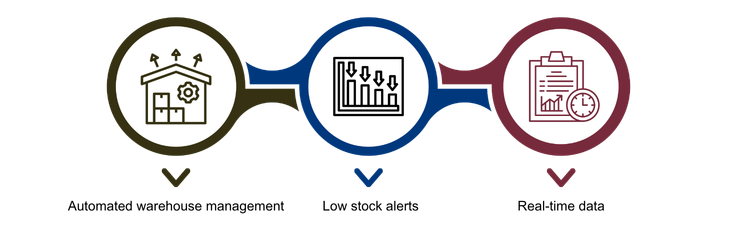
One of the most important features of modern POS software is inventory management. It helps businesses maintain a clear overview of current stock levels and organize warehouse processes efficiently.
Automated Inventory Management
High-quality POS software records sales in real time and updates inventory automatically. As soon as a sale is completed, stock levels are reduced in the system without requiring manual input. This not only saves time, but also minimizes the risk of errors.
Low-Stock Alerts
To avoid out-of-stock situations, many POS systems provide automatic notifications as soon as an item’s inventory reaches a defined threshold. This ensures that reorders can be triggered in good time and helps maintain continuous product availability.
Real-Time Data
The ability to monitor inventory in real time offers numerous advantages. Businesses can avoid overstocking and plan purchasing more precisely. It also becomes easier to identify trends and shifts in demand, leading to more efficient inventory management overall.
Customer Management: More Than Just Recording Sales

Effective customer management is essential to long-term business success. Modern POS software offers a wide range of features that go far beyond simply recording sales, helping businesses build lasting customer relationships. With a comprehensive customer management approach, companies can not only increase customer satisfaction, but also implement targeted measures to drive sustainable revenue growth.
Customer Database and History
POS software stores important customer data such as contact details, preferences, and purchase history. This information makes it possible to track the buying behavior of individual customers and carry out targeted marketing campaigns. For example, personalized offers or loyalty promotions can be sent to the most relevant target groups.
Personalized Customer Communication
Using the stored information, businesses can create tailored offers for individual customers. This strengthens customer loyalty and increases the likelihood of repeat purchases. Discounts, birthday vouchers, or exclusive early-access promotions are just a few of the ways to engage customers in a targeted and personalized manner.
Loyalty Programs
Many POS systems make it possible to implement loyalty programs directly within the software. Reward schemes in which customers collect points for purchases, as well as integrated voucher systems, give customers a reason to return. Such programs not only strengthen relationships with existing customers, but also encourage word-of-mouth recommendations.
Payment Processing: Flexibility for Your Customers

Another key requirement for modern POS software is flexible payment processing. The more payment methods the system supports, the greater the convenience and satisfaction for your customers.
Support for Multiple Payment Methods
Good POS software should offer a wide range of payment options to provide customers with maximum flexibility. These include cash, debit and credit cards, mobile payments, as well as contactless options such as Apple Pay and Google Pay. Supporting this variety helps ensure a fast checkout experience and greater convenience for your customers.
Fast and Secure Processing
The efficiency of the checkout process depends largely on the speed of transaction handling. Modern POS systems not only enable fast transactions, but also offer high security standards to protect both payment and data security. This builds trust with customers and reduces waiting times at the checkout.
Reporting: The Numbers That Move Your Business Forward
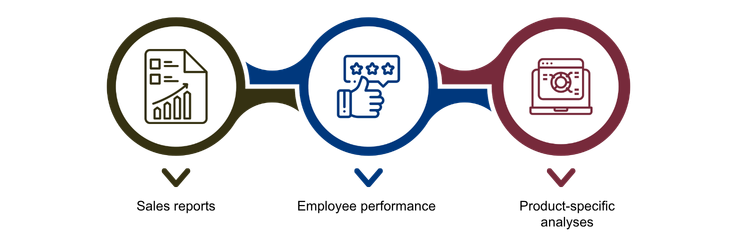
To make informed decisions, businesses need access to comprehensive and clearly structured reports. POS software with extensive reporting capabilities provides valuable support in this area.
Sales Reports
Detailed reports on daily, weekly, or monthly sales figures provide valuable insight into business performance. With this data, you can plan for peak periods and bottlenecks more effectively and respond to sales trends at an early stage.
Employee Performance
Some POS systems make it possible to track sales by employee. This is a useful tool for workforce planning and can also serve as a basis for bonus payments or performance evaluations.
Product-Specific Analysis
With product-specific reports, you can see exactly which items are selling particularly well. This information helps you optimize your ordering strategy, identify slow-moving products, and respond more effectively to customer needs.
User-Friendliness: Efficient and Fast Operation

POS software should not only be powerful, but also easy to use. Straightforward operation saves time and reduces errors.
Intuitive Interface
A user-friendly, clearly structured interface ensures that employees become familiar with the system quickly and can use it efficiently. A straightforward design minimizes training requirements and improves day-to-day workflows.
Fast Onboarding
POS software that is ready to use without extensive training is particularly advantageous. It reduces onboarding time for new employees and helps prevent errors in day-to-day operations.
Scalability: Growing with Your Business

Businesses looking to expand need POS software that can grow with them. Scalability is a key factor here.
Modular Structure
Flexible POS software allows additional features to be added as needed. Whether you are introducing new products or services or integrating new business areas, modular software adapts to your growing requirements.
Multi-Store Management
If your business grows and you operate multiple locations, your POS software should be capable of managing all branches centrally. Real-time data synchronization provides a consistent and transparent overview across all locations. This simplifies multi-store management and ensures smooth business operations.
Conclusion
Modern POS software is indispensable for small and medium-sized enterprises that want to process sales efficiently while also optimizing administrative workflows. The must-have features of POS software include automated inventory management, comprehensive customer management, flexible payment options, and powerful reporting capabilities. In addition, user-friendliness minimizes training effort and makes everyday work easier. Thanks to scalability and modular expansion options, the software can grow alongside the business and provide a sustainable long-term solution. A well-designed POS system not only increases efficiency, but also enhances customer service and therefore makes a significant contribution to business success.