
FleetSimple
Fleet management with AI assistant Nora, digital vehicle records and data import.Updated on 08. Sep 2026 by Software Vendor
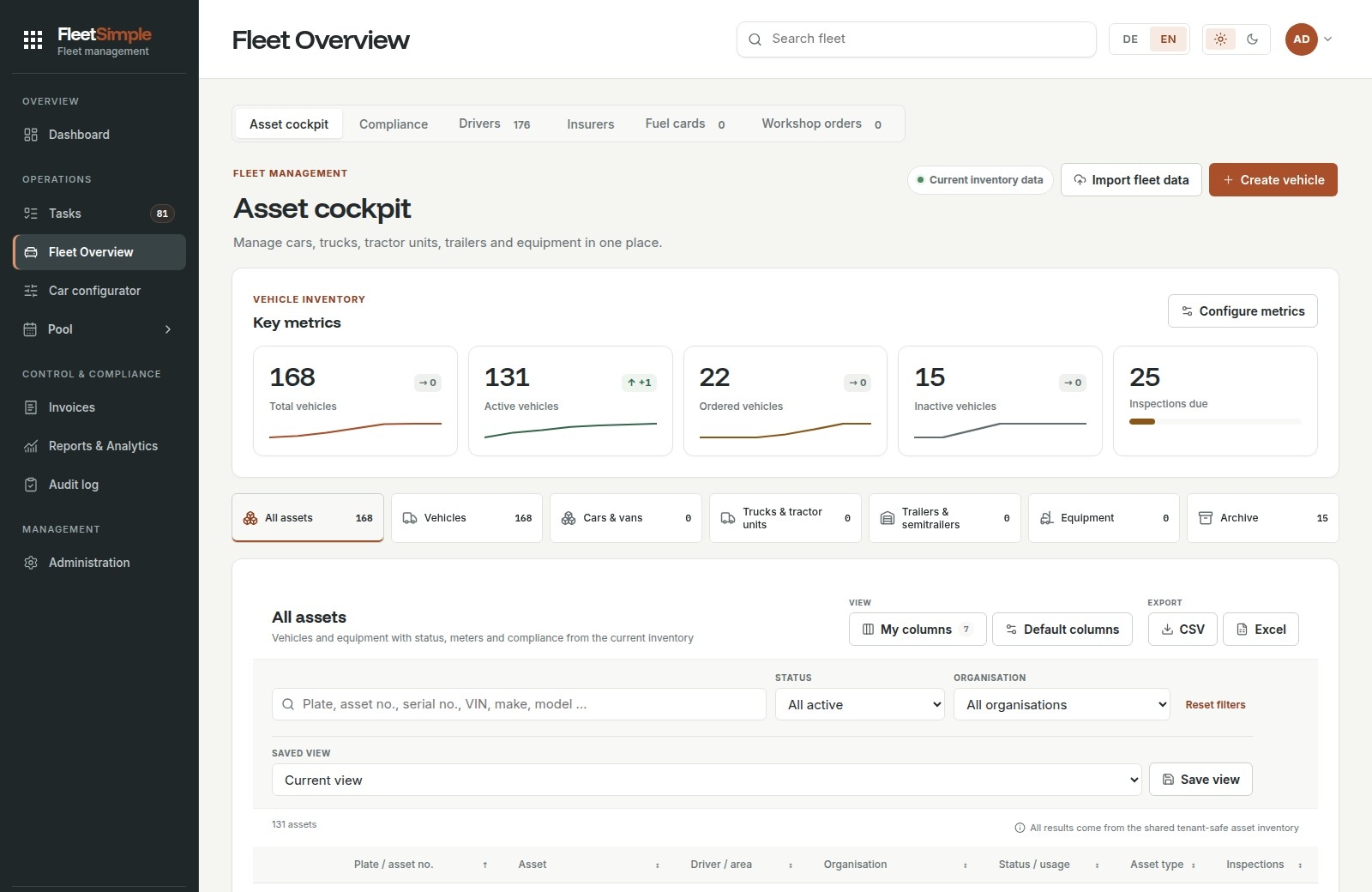
FleetSimple is cloud-based fleet management software for managing vehicles, drivers and equipment. Digital vehicle and driver records bring together master data, assignments, odometer readings, contracts, costs, documents and appointments. The application runs in a browser and offers German and English interfaces. Customer groups, organisations and locations, together with roles and permissions, support collaboration. Fleet management service providers with the appropriate setup can also manage the customers they serve.
AI assistant Nora answers questions about existing fleet data and directs users to the relevant work areas. AI data import recognises information in spreadsheets, vehicle registration documents, contracts and other files, combines related details and prepares a preview. Users check assignments and sources before importing the selected data. Document analysis and the report builder also support this approach.
FleetSimple manages lease, finance, purchase, rental and subscription contracts, including their terms and conditions. Reports on contract expiry and mileage deviations support return planning and contract adjustments. Incoming PDF invoices are analysed, line items are assigned to vehicles and cost categories, and invoices are approved after review. Original PDFs and individually configured CSV files can be delivered to accounting by scheduled email. Fuel and charging data, along with vehicle costs, are analysed in the context of each vehicle.
Day-to-day functions include inspection and deadline management, workshop orders, damage and insurance management, and digital supporting documents. Pool vehicles can be booked with availability checks and optional approval rules. Handovers and returns are documented with odometer readings, keys, condition photographs and any issues found. The driver portal supports functions such as reporting mileage, accessing documents, submitting workshop requests and managing personal pool bookings. Industrial trucks and other equipment can also be managed with technical data, operating hours and service records.
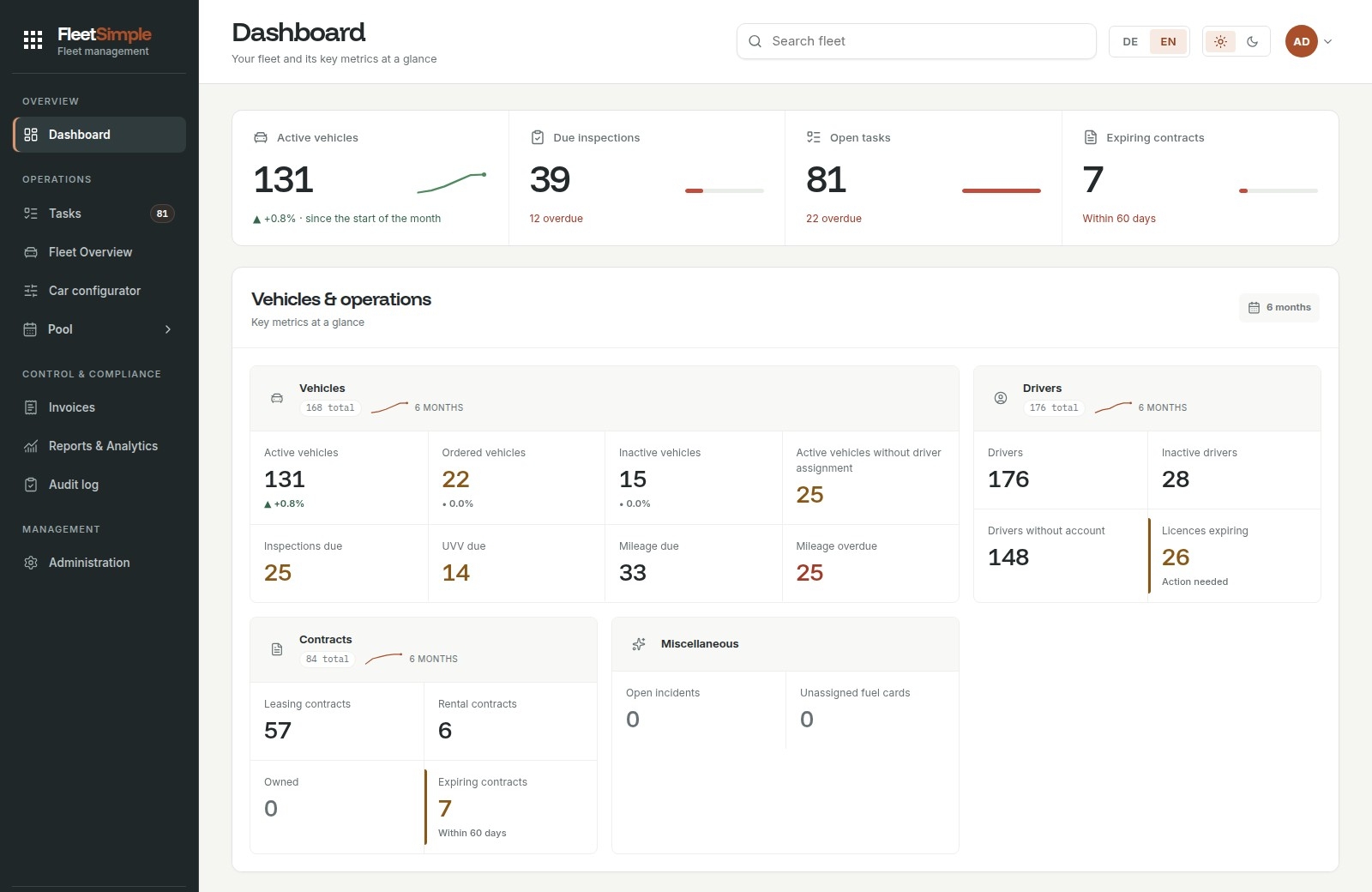
Dashboards, standard reports and configurable analyses help users examine costs, contracts, consumption and utilisation. Custom reports offer filters, grouping and metrics, as well as scheduled CSV delivery. Depending on the work area, data can be exported as CSV, Excel or PDF. The audit log records events with timestamps, the users responsible and available details of changes.
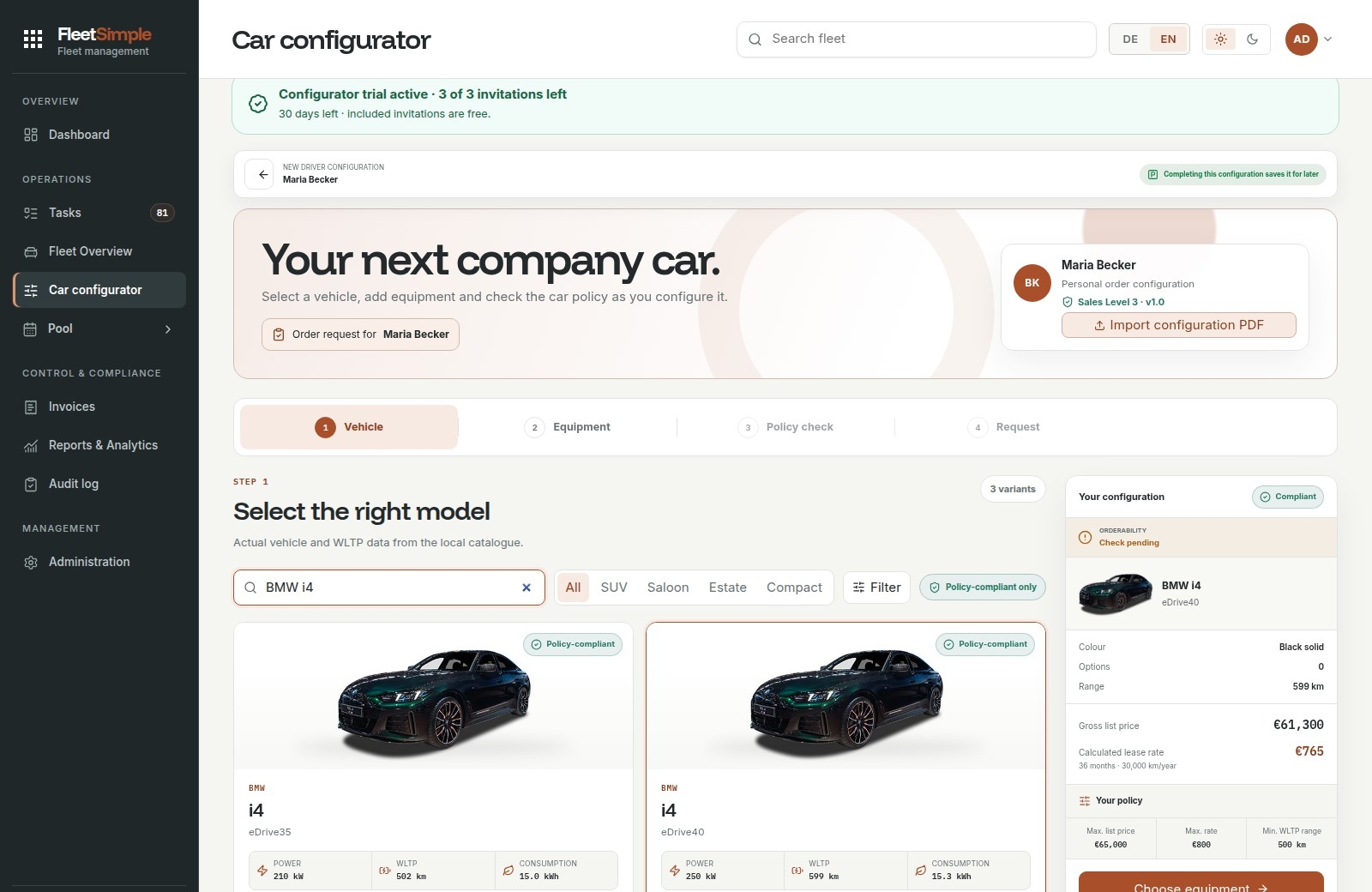
Documented integrations include DKV Mobility, BP Open Fleet and Microsoft 365; customer mailboxes can be configured using SMTP, IMAP or POP3. The appropriate credentials and permissions are required. The CarConfigurator, which requires separate activation, supports model selection, equipment options and car policy checks, followed by approval and procurement workflows. Digital driving licence checks guide drivers through a camera process using a personal link, with document and hologram checks.
“The Fleet” costs €3.79 excluding VAT per vehicle per month, or €4.39 with driving licence checks. The first user account is free; each additional account costs €9.99 excluding VAT per month. The CarConfigurator costs an additional €99 excluding VAT per order. All prices are subject to statutory VAT. Plans can be cancelled monthly, and there is no fixed minimum or maximum number of vehicles. FleetSimple can be tested free for 30 days. The scope of additional modules and individual onboarding or migration services is agreed separately.
FleetSimple can be cancelled monthly. Under the current terms and conditions, the standard notice period is 14 days before the end of the month, unless otherwise agreed. The contract terms agreed in each case apply.
Yes. FleetSimple offers a free 30-day trial. You can also use the contact page to arrange a personal demo and discuss getting started and importing your data.
FleetSimple brings together upcoming fleet inspections, due dates and tasks. HU and UVV inspections and contract end dates can be tracked against the relevant vehicle. Reminders help with planning; the specific workflows are agreed when you get started.
FleetSimple is a SaaS application accessed through a web browser with an internet connection. No local software installation or server of your own is required. Drivers need a suitable device with a camera for digital driving licence checks.
Roles and permissions determine which data and features a user can access. The AI assistant Nora also respects these access rights. Her chat does not change fleet data on its own; with AI data import, selected records are only imported after you have reviewed and confirmed them.
FleetSimple is designed for businesses with small, medium-sized and large fleets. There is no fixed minimum or maximum number of vehicles. Vehicle numbers, user accounts and the workflows you need are agreed when you get started.
“The Fleet” costs €3.79 per vehicle per month, excluding VAT, or €4.39 with driving licence checks. The first user account is free; each additional account costs €9.99 per month, excluding VAT. The optional CarConfigurator is charged separately at €99.00 per order, excluding VAT. All prices are subject to VAT at the applicable statutory rate.
Yes. You can centrally maintain, search, filter and export driver contact details, organisations and vehicle assignments. Driver profiles and user accounts for administering the fleet are different things; user charges apply to additional accounts for accessing the software.
Alongside standard reports, for example on remaining lease terms and mileage variances, you can create your own reports using data sources, fields, filters, groupings and metrics. These can be exported as CSV and sent by email on a schedule. The Asset Cockpit offers CSV and Excel exports; selected standard reports are available as PDFs.
This optional module combines model and equipment selection with checks against stored car policy rules. Subsequent steps allow you to track approvals and procurement processes and obtain quotes from several leasing companies for approved configurations. The module is activated separately and costs €99 per order, excluding VAT; the calculations displayed are not binding leasing offers.
Nora answers questions about the vehicles, drivers, costs, appointments, invoices and tasks that the user has permission to access. The chat does not change fleet data on its own. With AI import, recognised data is only saved after the user has reviewed it and explicitly chosen to import it.
Fleet data import supports XLSX, XLS, CSV, PDF, text, JSON, PNG, JPG, JPEG and WebP. Each import can contain up to ten files, with a maximum of 8 MB per file and 10 MB in total. The separate incoming invoice function accepts PDFs of up to 10 MB per file. The preview shows recognised details and assignments for you to check.
FleetSimple supports cars, vans, lorries, tractor units, trailers and semi-trailers, buses and special-purpose vehicles, among others. The equipment area lets you maintain technical data, operating hours and service records for items such as powered industrial trucks, manual material handling equipment, attachments, batteries and cleaning equipment.
FleetSimple offers connections to DKV Mobility and BP Open Fleet, as well as mailbox connections through Microsoft 365/Microsoft Graph, IMAP and POP3; outgoing email is configured via SMTP. Approved invoices can be sent to accounting by email as original PDFs with a configurable CSV file. The data available depends on the respective credentials and permissions.
The driver opens a personal link in their browser and uses the camera to capture the front of the driving licence and its hologram. The system assesses the capture and records the status. No facial recognition is used. If the check is unsuccessful, a new check is requested; this does not automatically block the driver.
Yes. FleetSimple distinguishes between customer groups or main tenants, organisations and locations. Roles and permissions control access to data. Fleet management service providers with the appropriate setup can also manage the sub-customers they serve.
The interface is available in German and English; some specialised views may still contain German labels. Support is available by email and telephone. There is also a personal online demo, a public handbook and an in-app form for bug reports and product feedback.