Software > Human Resources > Shift Planner Scheduling > Securo Hub
Securo Hub: Schedule Planning, Time Tracking, and HR Management.

Securo Hub

Securo Hub: Schedule Planning, Time Tracking, and HR Management.


Updated on 05. Nov 2026 by Dennis Bialik handelnd unter „Securo Net“
Demo version

What is Securo Hub?

Securo Hub is a modular business software solution that brings together workforce planning, time tracking, task management, and other operational processes on a single platform. The solution is designed for companies of various sizes and across different industries. It places a special emphasis on the needs of security and guarding companies, where rotating shifts, varying work locations, and collaboration between administrative and field staff are part of everyday operations.

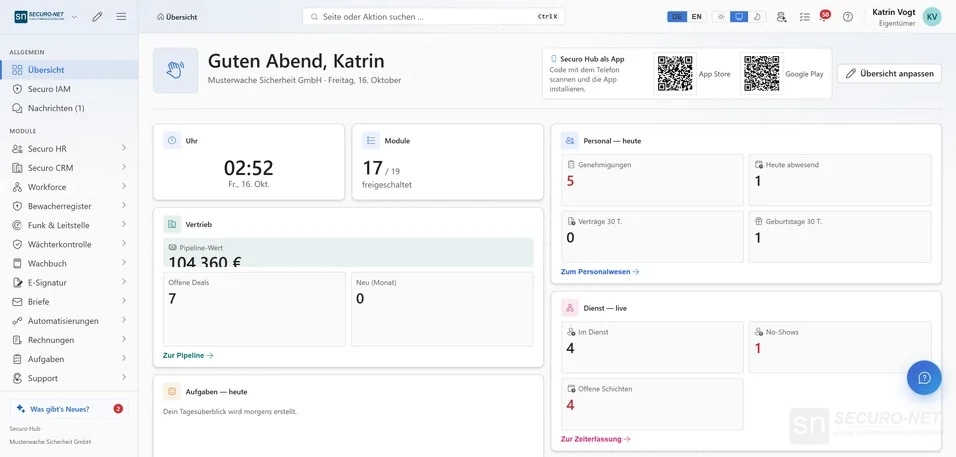
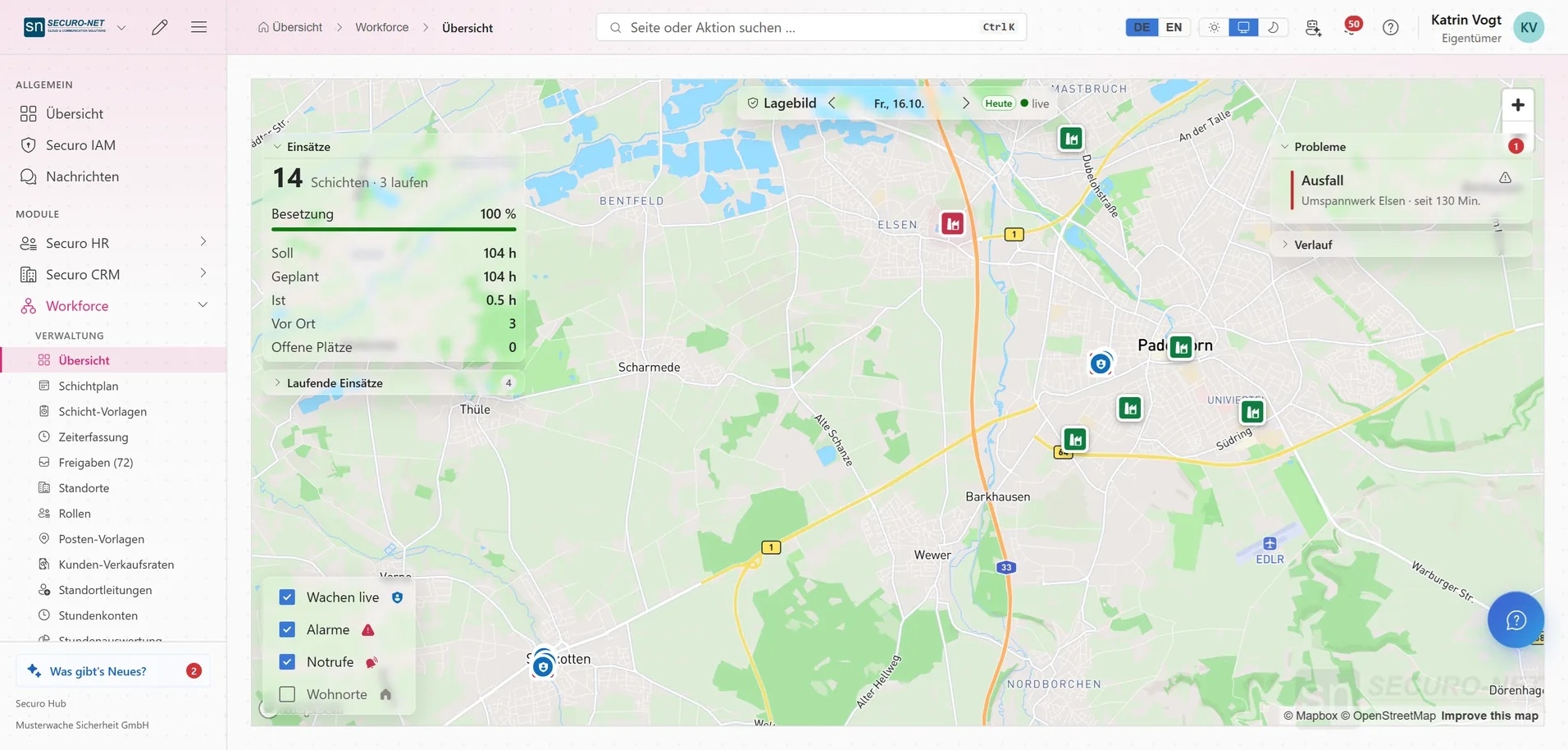
Instead of managing duty schedules, employee information, customer contacts, and documents in separate applications, Securo Hub provides a unified workspace. Employees access the information relevant to them via the mobile app. Administrative managers maintain an overview of day-to-day operations.

The software has a modular structure. The available features depend on the modules activated for the respective company. This allows the feature set to be tailored to actual needs.

Schedule Planning and Staff Organization

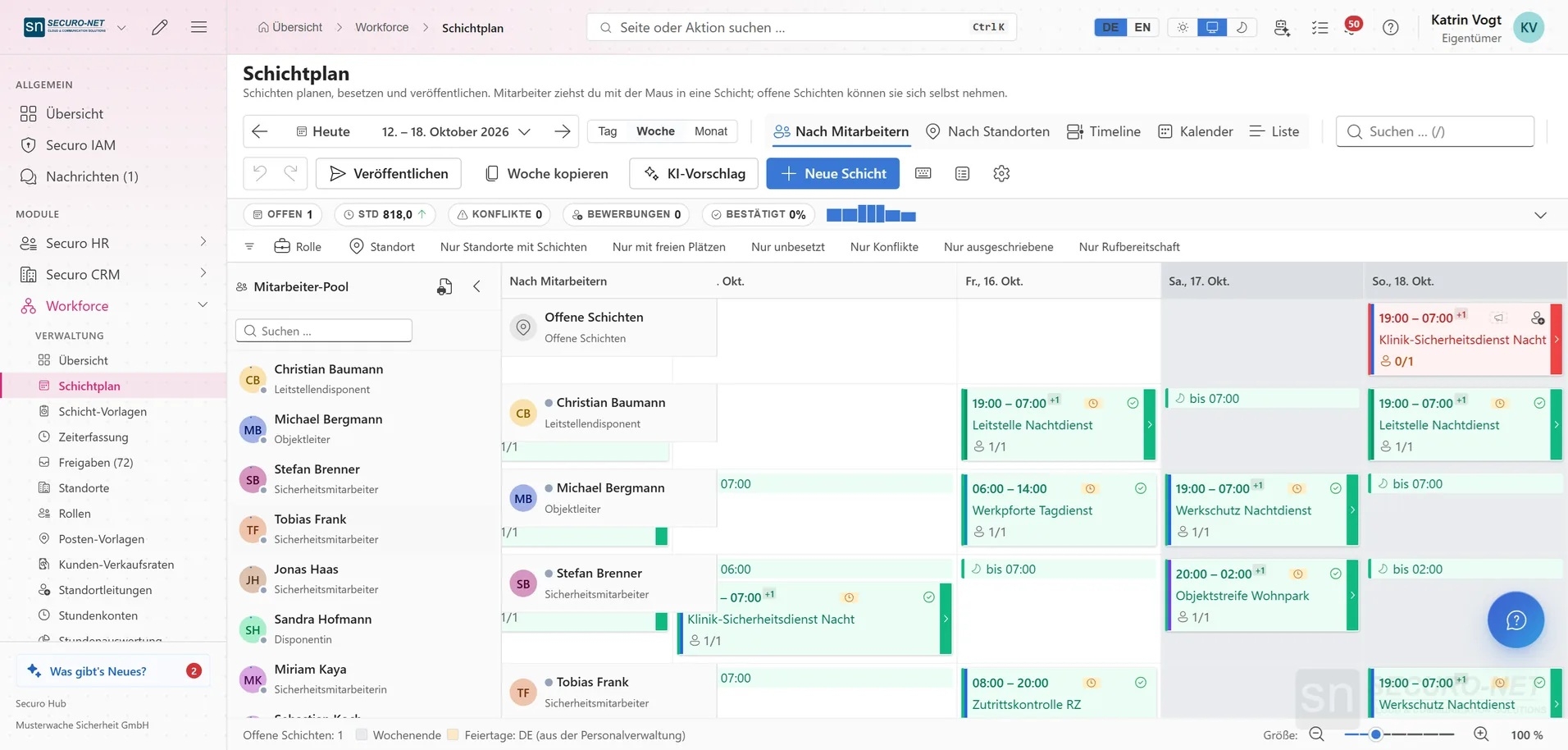
Schedule planning is one of Securo Hub’s core applications. Shifts can be organized and assigned to employees. Through the mobile app, employees can view their scheduled assignments, including the corresponding times and locations. Personal availability can also be managed.

Time-tracking functions are available for managing working hours. Employees can clock in and out and view their hour balances. This ensures that hours worked are immediately documented and available for further processing.

Absences can also be managed through the platform. Employees can report vacation or sick leave, track the status of their requests, and update their personal information. This reduces the need for follow-up inquiries and facilitates coordination between employees and HR.

Tasks, Documents, and Collaboration

Securo Hub supports daily collaboration through integrated task management. Employees can view their assigned tasks, work on them, and mark completed tasks. Messages and notifications help ensure that important information is promptly communicated to the appropriate individuals.

Another key feature is mobile access to documents. Depending on the activated modules, employees can, for example, view pay stubs, receipts, and other company documents. This eliminates the need for HR to provide documents individually for each request.

The integrated CRM functions also provide access to contacts, customer information, and related processes. It is particularly helpful for employees who interact with customers to have the necessary information available even when they are away from the office.

Mobile Field Documentation and Inspection Rounds

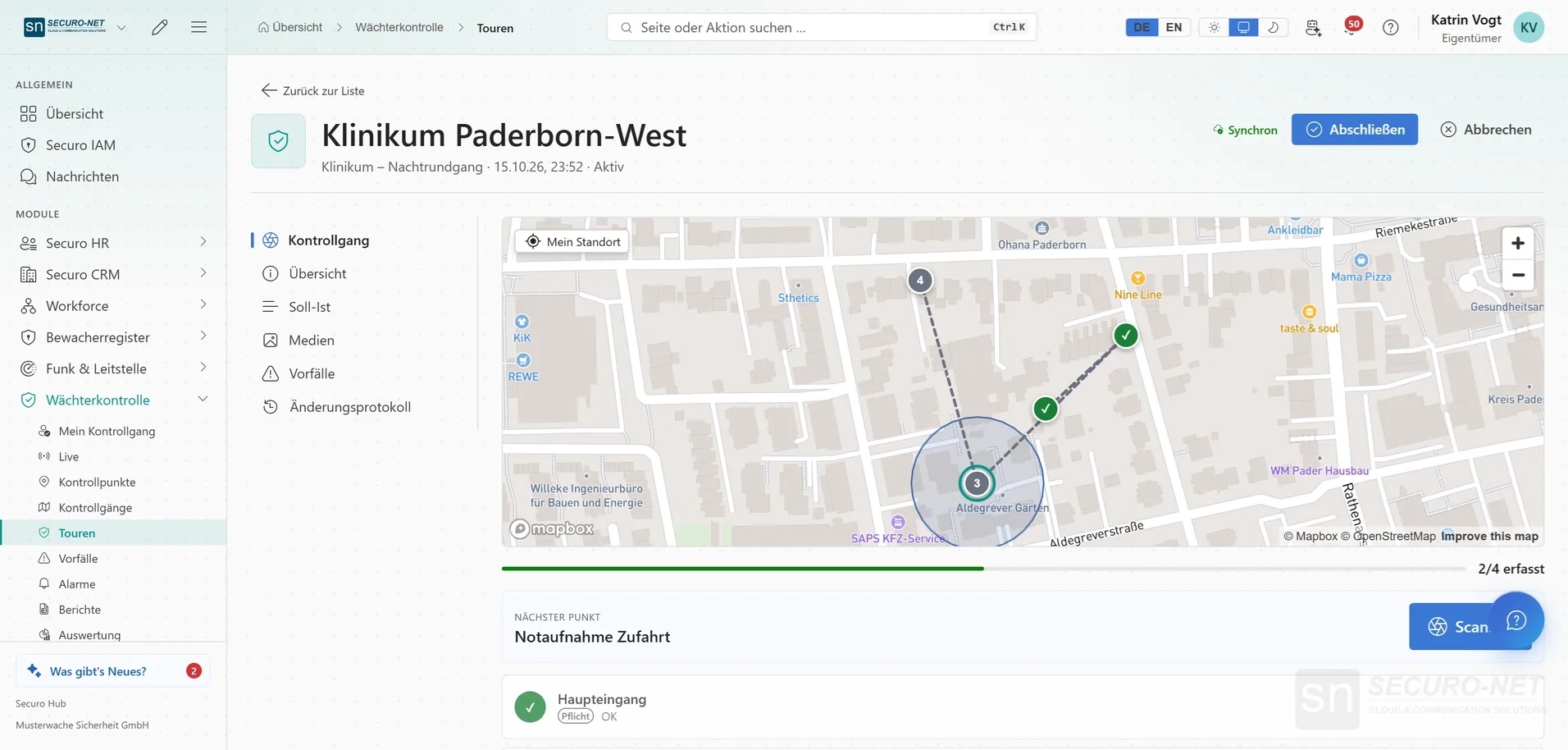
For companies with field service and security operations, Securo Hub offers optional features for conducting and documenting inspection rounds. Employees can start rounds via the app and log checkpoints using NFC. This allows completed inspections to be documented and tracked by headquarters.

During an active inspection round, the employee’s location can be transmitted to headquarters. This feature supports coordination and can contribute to the safety of employees working alone. Location tracking is optional and, in the use case described, takes place during an ongoing inspection round. It is disabled once the round is completed.

Highlights and Key Features of Securo Hub

  • Modular enterprise platform: Consolidation of various operational tasks into a single application.
  • Duty and shift scheduling: Organization of assignments, shifts, and employee availability.
  • Mobile duty schedule display: Access to scheduled assignments with information on time and location.
  • Time tracking: Digital clock-in and clock-out, as well as access to personal time accounts.
  • Absence management: Reporting vacation and sick leave, as well as tracking requests.
  • Task Management: Assigning, processing, and completing operational tasks.
  • Human resources management: Maintenance of personal employee information.
  • Document Access: Mobile access to pay stubs, records, and company documents.
  • CRM: Access to customer contacts and cases.
  • Team Communication: Messages and notifications for operational coordination.
  • Inspection Rounds: Optional documentation of rounds using NFC checkpoints.
  • GPS Support: Optional location tracking during active inspection rounds.
  • Mobile Apps: Use on supported Android and iOS devices.

What advantages does Securo Hub offer?

In day-to-day operations, many coordination tasks arise because information is scattered across different locations. Work schedules are sent out, working hours are logged retroactively, vacation requests are submitted via message, and documents are requested individually. Securo Hub addresses precisely these processes.

Employees gain direct access to their tasks, work schedules, and important documents. For HR managers and supervisors, it provides a better overview of day-to-day operations. Changes and information can be processed and communicated within the shared platform.

The modular structure is particularly appealing to companies that do not need all features right from the start. The available modules can be selected according to organizational requirements.

Mobile access also offers advantages for decentralized work structures. Whether it’s a security service, a trade business, or a service provider: field employees stay connected to headquarters and can access important information directly on-site.

For which companies is Securo Hub suitable?

Securo Hub is suitable for businesses that want to centrally organize personnel, work schedules, tasks, and documents. The software is particularly relevant for companies with shift work, changing work locations, or mobile teams.

In the security industry, there are additional specific requirements, such as documenting patrols and coordinating with the operations center. For other industries, general functions for personnel and operational organization take center stage.

If you’d like to map your existing processes within a single software platform, it’s worth speaking with the provider. Have them show you which modules are suitable for your company, how the implementation works, and what possibilities Securo Hub offers for your specific work organization.
Target groups:

  • Security services and security firms with rotating work locations and shift work
  • Service companies with mobile employees and field teams
  • Trades, retail, and industrial businesses requiring centralized personnel and work scheduling
  • HR managers, operations managers, and schedulers who manage duty rosters, work schedules, and absences
  • Executive management and administrative teams who want to consolidate personnel, customers, documents, and operational processes onto a single platform

Screenshots

Functions (excerpt) of Securo Hub:

Absence management
Absenteeism statistics
Access management
Analysis
Analysis functions
annual overviews
Archive access rights
Archiving
Asset management
Booking absenteeism
Break detection
Break times
Compliance management
Contract management
Cover letter, advertising
CRM
Customer data
Customer portal
Dashboards
Delegation functions
Deployment planning
Diagrams
Digital personnel file
Display of personnel attendance overviews
Document workflow
Documentation systems
Dunning
Duty roster display
Duty rosters
E-mail archiving
E-mail attachments
Employee capacities
Employee management
Employee search
employment planning
eSignature
Export functions
Extensible functions
File archiving
Financial status
Flextime
GoBD
GPS tracking
Graphical disposition
Guard book
Holiday management
Hourly rate management
Import functions
Interfaces
Invoice verification
Invoices
Job descriptions
Knowledge management
legal holidays
Mapping of predefined work shifts
Message system
Messages
Minimum working time and daily target
Mobile time recording
Mobile working time recording
Notification system
Object management
Offline time recording
On-call and stand-by duties
Onboarding
Order creation
Order management
Overtime calculations
payment systems
Payment transactions
payroll accounting
personnel communication
Personnel controlling
Personnel cost planning
Personnel data management
Personnel development
Personnel management
personnel master data
Personnel planning
personnel requirements
Personnel resource planning (PRP)
Personnel time recording
Plan variants
Process documentation
Process management
Process visualization
Project Management
Project timing
Purchase Order Management
Push messages
Quality assurance
Quality management
Queries
quotation management
Real-time tracking
Recruitment
Regular shifts
Report management
Resource Management
Sales employee management
Sales taxes
Scheduling
Shift change
Shift models
Shift staffing
Software integration
Staffing table
Statistics
Subcontractor Management
Supplier management
Task management
Time and work plans
Time bookings
Time models, time accounts
Time off accounts
Time planning
Time recording
Time recording interfaces
Time recording systems
To-do lists
Tool management
User management
Vacation entitlements
Vacation group administration
Vacation management
Vacation overviews
Vacation Request System
Wages and salaries
Workflow management
Working time corrections
Working time management
Working time models
Working time recording

Price

from 2.50
EUR
plus 19% VAT
per client
Contact information:
Explore more about the software:
Information
directly to the product website
Online demonstration
request meeting
Video appointment
directly to the product website
Software exposé
request URL
Prices
directly to the product website
Features
directly to the product website
Contact:
Send message

Get to know the software better! Request a video appointment for a personal presentation!

Technical specifications:

Web-based:
yes
SaaS, Cloud:
yes
On-premises (local installation):
yes
AI Supported:
yes
Multi-user (network-compatible):
yes
Multi-client compatible:
yes
Manufacturer based in:
Germany
Dialogue language(s):
English
System requirements:
Compatible operating systems (runs with):
Win 11
Win 10
Win Server
Mainframe based
Unix based
Linux based
Mac OS
Mobile OSs (supports):
iOS
Android