Software > Internet > Content Management Systems (CMS) > Screendrive
Effortless cloud signage solution with visual CMS and flexible user control.

Screendrive

Effortless cloud signage solution with visual CMS and flexible user control.


Updated on 08. Jun 2025 by Software Vendor

What is Screendrive?

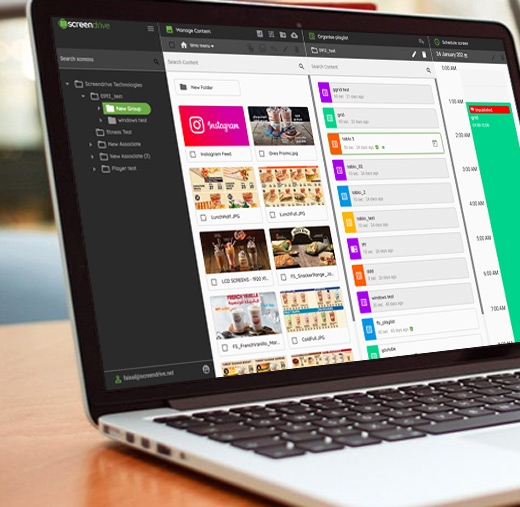
Screendrive is a digital signage platform that enables users to create, schedule, and manage content across display networks through a cloud-based CMS. Its visual layout editor and modular design allow businesses to tailor displays for retail, education, hospitality, and more. Compatible with multiple device types, it delivers an adaptable solution for centralized content control.

What are the advantages of Screendrive?

  • Drag-and-Drop Designer: Easily build visual layouts without the need for third-party tools.
  • Granular Scheduling Tools: Create timed playlists, fallback content, and urgent overrides with precision.
  • User Role Customization: Allow team collaboration with permission-based access and multi-user support.
  • Device Flexibility: Compatible with players for Android, Windows, and LG webOS, ensuring versatile deployment.
  • Scalable Architecture: Suitable for both single-screen installations and multi-location networks.
  • Real-Time Updates: Push content changes instantly across the entire display fleet.

What are the general functions of Screendrive?

  • Content creation with pre-built templates and widgets
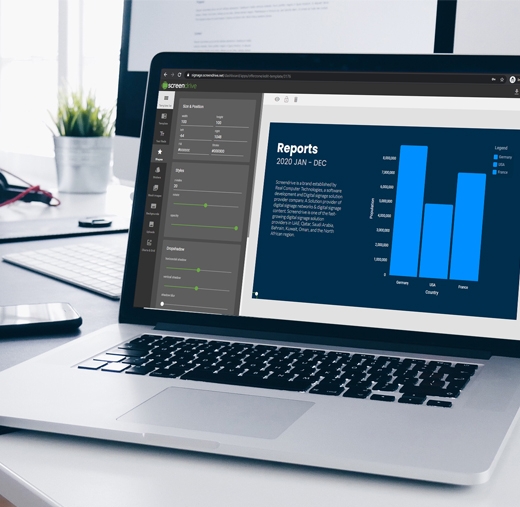
  • Visual layout editor for multi-zone screen designs
  • Playlist management with custom scheduling rules
  • Integration of live data feeds, websites, social media, and media libraries
  • Role-based user management
  • Remote device monitoring and status tracking
  • Offline playback support for uninterrupted signage
  • Display grouping and tagging for organized content distribution
Looking for the right software? Trust SoftGuide!

Our experts will find the perfect solution for you - independently and at the cutting edge of software trends.
 

Looking for the right software? Trust SoftGuide!

Technical specifications:

Manufacturer:
Real Computer Technologies
Web-based:
yes
SaaS, Cloud:
yes
On-premises (local installation):
no
AI Supported:
no
Multi-user (network-compatible):
no
Multi-client compatible:
no
Manufacturer based in:
United Arab Emirates
Dialogue language(s):
English
System requirements:
Compatible operating systems (runs with):
Win 11
Win 10
Win Server
Mainframe based
Unix based
Linux based
Mac OS
Mobile OSs (supports):
iOS
Android
Old Compatible Operating Systems:
Win 8
Win 7

Alternatives

Screendrive
Event-IS
Cavok
FrontFace
Screendrive
Event-IS
Cavok
FrontFace
Elevator Pitch
Effortless cloud signage solution with visual CMS and flexible user control.
IT solution for room & workstation booking, conference management and digital signage
Organize, edit and distribute digital content centrally
Software for professional digital signage and kiosk applications
Multi-user (network-compatible)
no
yes
yes
yes
Multi-client compatible
no
yes
yes
no
Compatible with


Other requirements for soft- and hardware
Database: Oracle version 8i or higher or MS-SQL version 2000 or higher
.NET Framework 4.6.1 or higher (will be installed automatically if not available) Windows Media Player 11 or higher (only required for video playback) Any display(s): All resolutions and aspect ratios (portrait/landscape) are fully supported, including Full HD and 4K, of course
Dialogue language(s)
English
English, German, French
English, German, Spanish, French, Italian
English, German, French
Documentation
Manual
Online Help
Demo version
Technical documentation
Manual
Online Help
Demo version
Technical documentation
Manual
Online Help
Demo version
Technical documentation
Manual
Online Help
Demo version
Technical documentation
Number of installations
> 145
mehr als 100
First installation (year)
1999
2011