Wowflow
Popular maintenance software for buildings & systems in the DACH regionUpdated on 03. Mar 2026 by Wowflow GmbH
Wowflow is a collaborative software for operational building maintenance in facility management, designed as a modern building CMMS or CAFM alternative for teams that want to manage orders, maintenance and certificates efficiently and transparently. The focus is on the practical mapping of day-to-day business: you collect work orders centrally, delegate tasks internally or to external service providers and keep an eye on the status in real time. At the same time, Wowflow simplifies documentation - from photos to signable PDF reports - so that evidence is created without media disruptions and can be quickly passed on or filed.
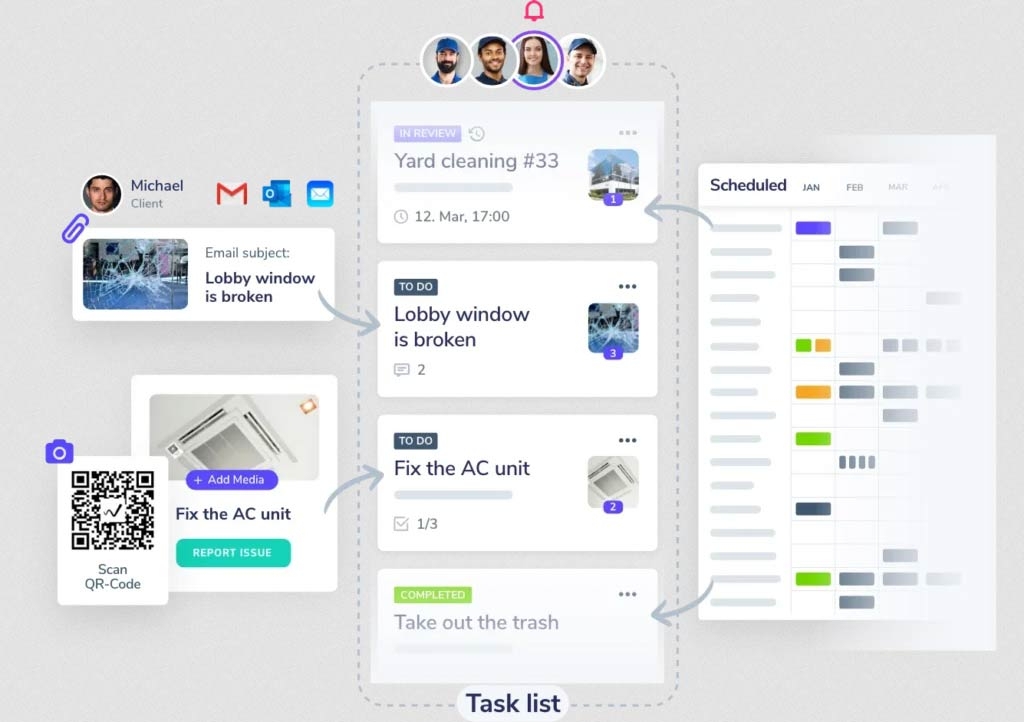
A key benefit is the quick implementation and consistent mobile use: with the offline-capable app, employees can record information directly on site (including images, time/location reference and comments). Work orders can also be triggered at a low threshold, e.g. via QR codes in the building or via email integration, so that requests no longer get lost in inboxes or chat histories. Wowflow offers particularly streamlined processes for collaboration with external service providers (e.g. feedback by email instead of mandatory app access), which increases acceptance on a day-to-day basis.
Order management / ticketing: collect and assign orders, set deadlines, receive real-time updates
Maintenance planning: create maintenance plans or upload existing ones (e.g. from Excel); automatic task generation; calendar view with filters
Asset management: record assets including master data and photos; access asset data via QR code; track work for each asset
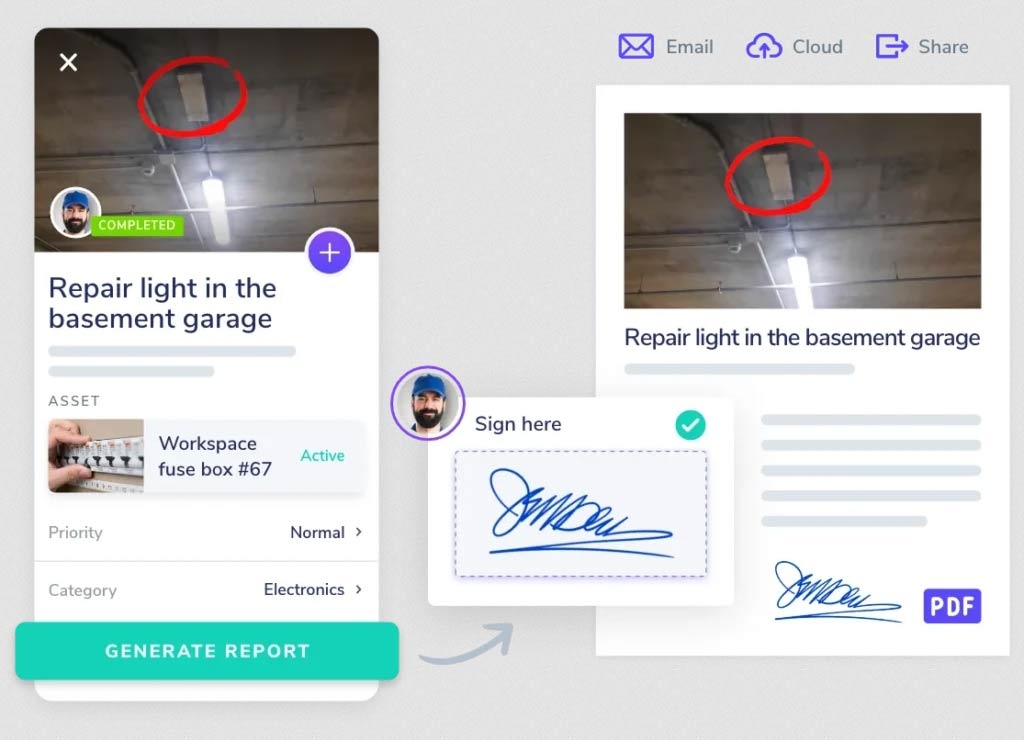
Photo documentation: Up to 30 images per task, drawings/comments, automatic upload even offline; structured filing instead of Messenger dispatch
PDF reports & proofs: Create reports in just a few clicks, personalize (e.g. content/images), integrate mobile signature and logo; send by email or store in existing systems (e.g. ERP/DMS/CAFM)
Key management: digital key handover incl. documents/signatures, return tracking with reminders, QR code-based processes
Email integration: Convert emails into tasks or save correspondence for the task
QR codes: Trigger notifications/requests directly at the property and make relevant data immediately available
Onboarding/implementation: structured onboarding plan; implementation as an 8-week program
For facility management teams, property management companies, janitor organizations and maintenance and service units that want to control operational work digitally.
Yes, the provider provides structured onboarding and advertises a fast rollout.
Centrally in the platform - e.g. via QR codes on the property, via e-mail integration or directly in the app.
Yes, external parties can be integrated into the collaboration in a lean way, e.g. via e-mail-based feedback.
Yes, including offline function for working on site.
With recurring plans, automatic task generation and calendar view; existing plans can be adopted.
Photos are assigned directly to the task (including additional information such as time/location) and can be included in reports.
PDF and XLS reports with photos, order details and timelines; reports can be personalized and sent.
Yes, including digital handover documents, signatures, return tracking and reminders.
The provider offers a free test in real operation as well as a personal demo/product consultation.
Project no.: 26/3582
Tender until: finished
We are a North German service provider specialising in domestic services and building cleaning, ... more
Project no.: 25/3533
Tender until: finished
We operate in the Facility Management and Building Operations industry in the United Arab ... more