
PSA Verify
Manage and inspect radiation protection PPE digitally.Updated on 28. Oct 2026 by scMED UG (haftungsbeschränkt)
PSA Verify is a web-based software solution for managing and inspecting personal protective equipment (PPE) in radiation protection. The application is designed specifically for hospitals, radiology departments, medical care centers, doctors’ offices, and testing service providers. It helps you track your inventory of X-ray protective clothing, monitor inspection schedules, and systematically document inspections in accordance with DIN 6857-2.
In many facilities, radiation protection aprons, protective vests, thyroid shields, and other PPE are still managed using Excel spreadsheets. Information on locations, sizes, users, and inspections is often scattered across different files or departments. PSA Verify consolidates this information into a central database. This allows you to see what protective equipment is available, where it is being used, and when the next inspection is due.
The software is manufacturer-independent. You can manage radiation protection items from different manufacturers together. Even equipment not subject to mandatory testing, such as radiation protection goggles, can be inventoried and assigned to individual employees as needed.
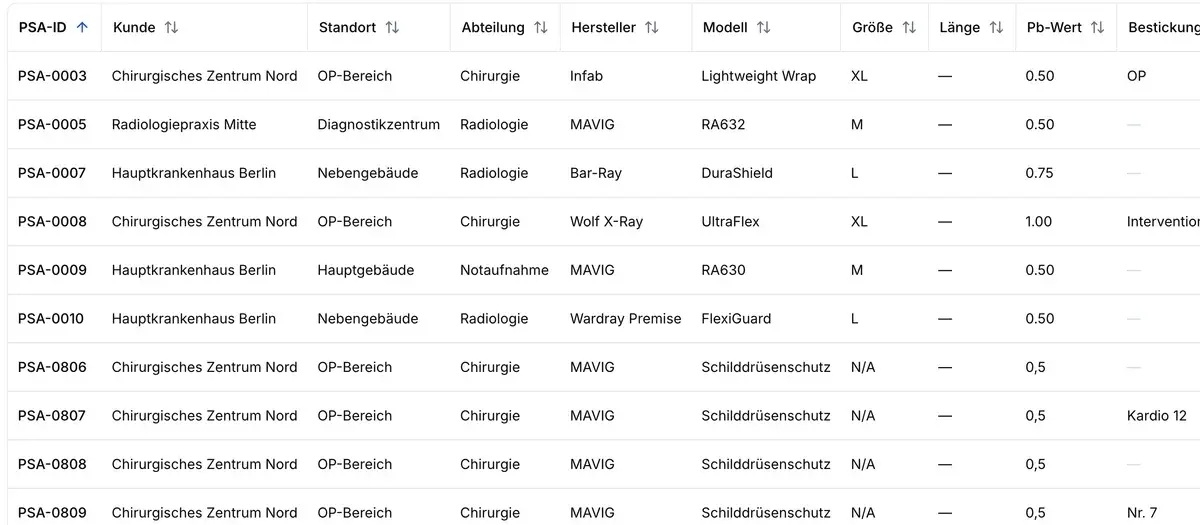
Each PPE item is assigned its own data record containing key details such as manufacturer, model, size, lead equivalent, location, department, and user assignment. RFID identifiers can also be stored. If an item’s assignment changes, its previous inspection and usage history is retained.
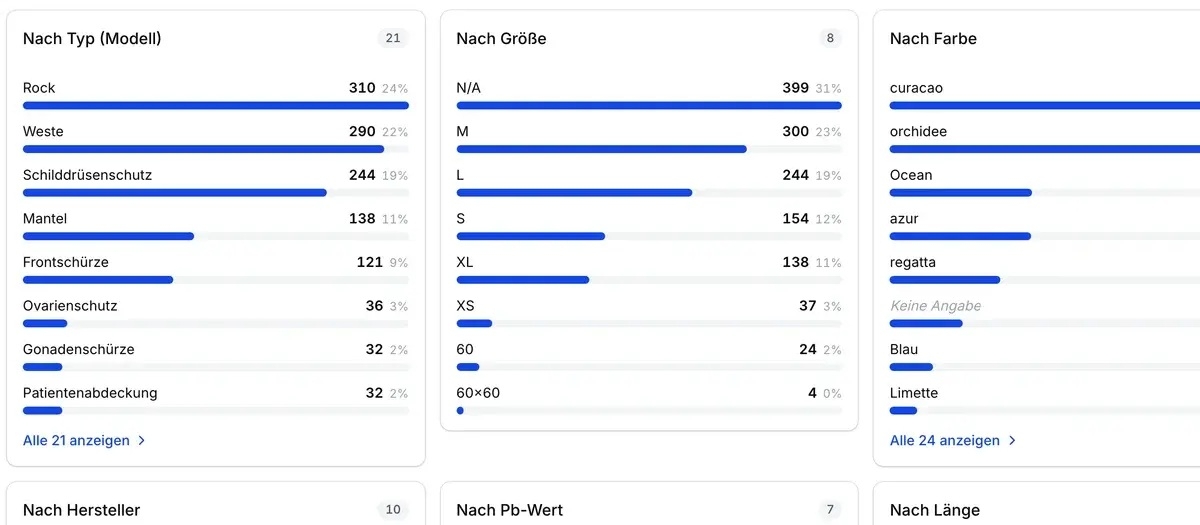
Inventory statistics show which items are available in which sizes and versions. A target-actual comparison helps you identify excess inventory and shortages. This facilitates coordination between medical technology, purchasing, and specialized departments. Before ordering new protective clothing, for example, you can check whether suitable items are available at another location.
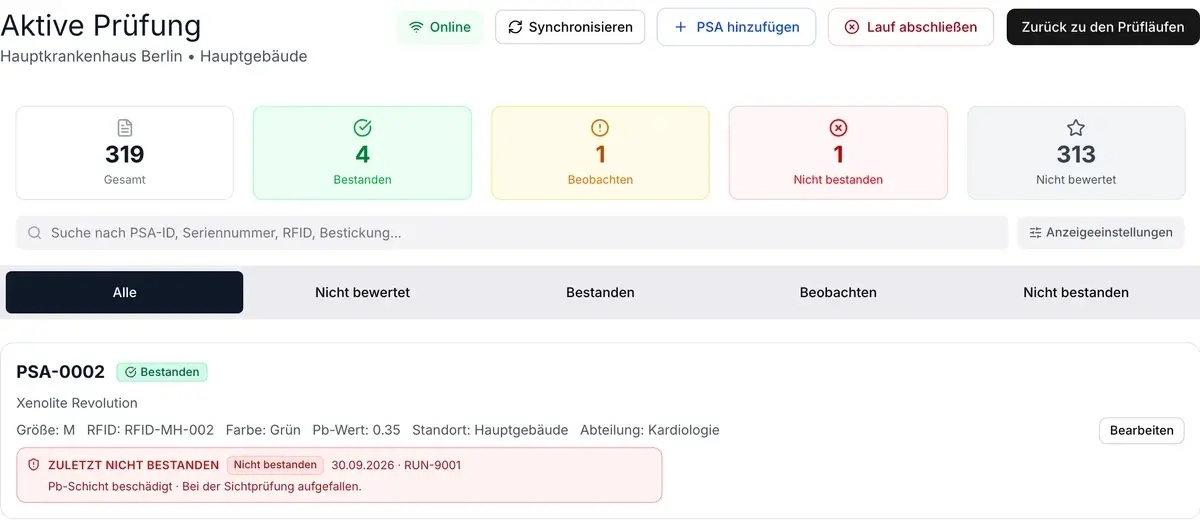
PSA Verify provides the Audit module for inspecting X-ray protective clothing. Here, you can schedule inspection runs, record results, and document any damage found directly on the respective item. Evaluation is based on clear status indicators such as “passed,” “under observation,” or “failed.” Comments and photos supplement the inspection documentation.
Inspections do not have to be completed in a single day. You can process the inventory over multiple sessions, for example, by department. The system also supports resuming inspections that were started without an internet connection. The recorded data is synchronized once the connection is restored.
Upon completion of an inspection run, PSA Verify generates a PDF inspection report. Inspection results and inventory data can also be exported in Excel format. Previous results remain accessible in the item history and are available for follow-up inspections.
PSA Verify displays upcoming and overdue inspections on the dashboard. Responsible individuals receive automatic email reminders. If necessary, other responsible parties at the department, location, or facility level can be notified. Inspection intervals can be set differently, allowing for varying requirements of individual departments to be accommodated.
The software supports the organization and documentation of required inspections. The technical examination and evaluation of protective equipment remains the responsibility of appropriately qualified personnel.
PSA Verify is suitable both for facilities that conduct their own inspections and for those that collaborate with external inspection service providers. External inspectors can be granted appropriate access rights and document their results directly in the respective organization’s inventory. Upon request, testing service providers can manage multiple client inventories and provide their clients with approved information via read-only access.
The Inventory and Audit modules allow for different areas of focus. If you initially only want to digitize your PPE inventory, the focus is on inventory management. For in-house inspections, you can supplement the system with the corresponding audit functions.
PSA Verify is hosted in Germany as Software-as-a-Service and can be accessed via a web browser on computers, tablets, and smartphones. The user interface is available in German and English. No separate installation is required.
Would you like to manage your PPE inventory more efficiently or digitize your inspection processes? Schedule a personalized demonstration of PSA Verify. Together with the provider, you can determine how your existing inventory will be imported and which features are most suitable for your organization.
Hospitals, clinics, university hospitals, and medical care centers (MVZ); radiology, cardiology, and other medical facilities that use radiation protection PPE; companies that maintain their own inventory of radiation protection PPE; testing service providers for X-ray protective clothing. Key contacts include, in particular, radiation safety officers, medical technology staff, quality management personnel, purchasing staff, and those responsible for PPE management.